

Doc Bernard
Indie Arms Member
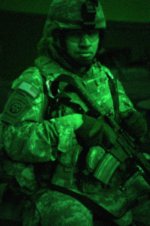
A Friend of mine sent me this from his time in Afghanistan as a Combat Photographer:
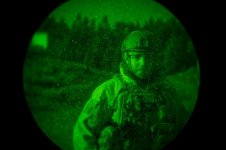
(Actual photo shot through NV scope)
So I thought I would put up a "tutorial" on how to replicate this on an image making night out of day. This is in PS CS4.
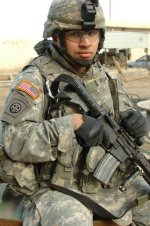
Here is the image I started with:
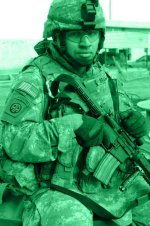
Step one is to take the image to B/W and green tint it.
Next, push the contrast up, and brightness down.
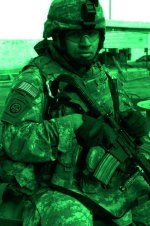
On this step, I goofed up the b/g a bit, but I was just messing around with this. But created a mask around the soldier, inverted it, and blurred the b/g out and darkened it further.
The last thing I did was to add noise to the image to grainy it up, and added one last level of blurring to the overall image, and applied a "Flashlight" Lighting effect. Still need to add the speckles (bad pixels/dust in the NVS). But this is a quick way to emulate NV footage. Doesn't beat the real deal, but it's close..........and who's got the money to spend on actual NV? Wish I did.
But I know there are those of you out there better than me at this, so......share YOUR tips/tricks.
(Actual photo shot through NV scope)
So I thought I would put up a "tutorial" on how to replicate this on an image making night out of day. This is in PS CS4.
Here is the image I started with:
Step one is to take the image to B/W and green tint it.
Next, push the contrast up, and brightness down.
On this step, I goofed up the b/g a bit, but I was just messing around with this. But created a mask around the soldier, inverted it, and blurred the b/g out and darkened it further.
The last thing I did was to add noise to the image to grainy it up, and added one last level of blurring to the overall image, and applied a "Flashlight" Lighting effect. Still need to add the speckles (bad pixels/dust in the NVS). But this is a quick way to emulate NV footage. Doesn't beat the real deal, but it's close..........and who's got the money to spend on actual NV? Wish I did.
But I know there are those of you out there better than me at this, so......share YOUR tips/tricks.
Last edited: