My observations about the EX1.

jujufactory

Carbonite Member
I have been using the EX1 for a while and I have the following observations. Have you noticed the same?

(1) The EX1 body will heat a lot during prolongued use. The area where the cards are inserted gets very hot.

(2) Opening the clip Browser can take quite a while.

(3) Copying files from Scandisk flash cards to your computer will take long. It takes about 30 minutes to transfer 60 minutes. This is not just copy and paste.

(4) The flashcard ejection mechanism seems quite fragile. I wonder whether pressing these plastic buttons over time will not damage the mechanism.

Thank your for sharing your feedback on this.
 
Last edited:
1. Hasn't been a problem

2. 14 seconds on my camera (is that what you mean?)

3. I don't use an adapter so I have no comment.

4. Same mechanism on every laptop you see for pcmcia for 6-10 or more years. Don't hamfist it, and you're golden.
 
(3) Takes me 15min for 16GB Ultra II You must have verify turned on and so are actually copying it across twice, or you have a slow computer/SD card reader.
 
The camera is known to be slow, you'll probably get not much faster with SxS.
In clip browser, check the settings under Tools/Options relating to data protection vs processing speed, and CRC checking.

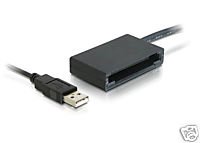
Forget the camera as a reader anyway, get this reader and load the SD cards from XxS for this: http://www.lexar.com/readers/pro_udma_dualslot.html
 
Last edited:
No.. The End User License Agreement expressly prohibits handheld use. The camera must always be supported by 30-weight fishing line. Anything else voids your warranty.

-B.
 
No.. The End User License Agreement expressly prohibits handheld use. The camera must always be supported by 30-weight fishing line. Anything else voids your warranty.

-B.

Dammit I thought so. They will never get my money.

The only thing I know about the EX-1 is how it looks (amazing) and that if you move it it's pretty much useless. of course I learned everything about the cam here.
 
The Transcend SDHC 16GB from Dell comes with a little USB reader. Takes less than 16 minuets to transfer the BPAV folder. Part # TSD-TS16GSDHC6-S5W (16GB SDHC6 with RDS5W Card Reader) $36.99 Works Great!
 
Can you shoot handheld with the EX1?

Too cumbersome to have someone holding my hand while I shoot....

But seriously, I shoot almost everything handheld. Much of the coverage is "as it happens" in real time with nothing staged. So there's no time to be setting up a tripod. A shoulder brace helps. There are other threads covering that topic.
 
1) Yes.

Would be nice to have an 'observations thread', wouldn't it?

Hey, I just felt like posting this little question in this thread...

My 'observation' is that in the memory there isn't only clips. There are folders and other files. I don't have it pluged into my computer to check, but I think it's something like this:

BPAV
CLPR
CLIP FOLDER
CLIP.mp4 - this is what I import into premiere.
.etc (4 more) - what are these?
TKR (definately not this, it's something with T and similar to CLPR)
??? - what's in here?

What I'm doing now is just cuting and pasting the clip folders...

Oh, and I have also observed that it would be more confortable to have all the clips in the same folder. This probably can be changed around the clip name and so on options, right?
 
Oh, and I have also observed that it would be more confortable to have all the clips in the same folder. This probably can be changed around the clip name and so on options, right?

Important advice: Don't mess with the BPAV folder.

Someone used the analogy of the BPAV folder being like a videotape cassette: No one would dare open it up, then use a razor blade to reorganize the tape in the cassette shell.

Use the Clip Browser and XDCam Transfer utilities provided by Sony.
 
Never tried that, sure thing I will! I always supposed there should be something like that, but never cared to check, just copy and pasted.
 
Back
Top