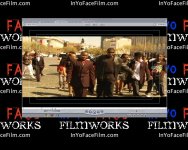
Black bars at top and bottom dissappear

I shoot with with the DVX in 24p mode / squeeze and for some reason whenever I make a new sequence and copy (select all/copy/paste) my old sequence into the new the black bars at the top and bottom dissappear and the screen is now full. If I check the settings on that sequence the only difference between the new and the old is anamorphic is now UNchecked but if I check it it just truncates everyone on screen but nothing changes as far as black bars.

Anyone know why?
What can I do to get me bloody bars back?

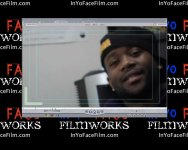
attached are two pictures ... both shot with exact same settings (24p/squeeze)
 

Attachments

  • no-bars.jpg
    no-bars.jpg
    98.5 KB · Views: 0
  • bars.jpg
    bars.jpg
    134.8 KB · Views: 0
Why do you necessarily want them back? If the picture is already in the correct shape, is it appears it is in your pic on the left, then any black bars are just wasting pixels.

The only reason black bars exist is to display an image which is a wider aspect ratio than the display screen. If the display screen itself is already at the aspect ratio you want, then no black bars are necessary.
 
might be an over/under scan issue.
check your % of view in the bar above the screen.
i can't tell from these shots though.
 
I just don't want my output to have some footage with black bars and some without ... I want it all to be uniform. Perhaps it is when outputted .. I haven't tested it .. but in the timeline it's mixed.
 
Go into your motion tab, and look under DISTORT. I'm 99% positive it will say -33...

When you copy and paste video files into a new sequence, that happens to me ALL the time...You just either have to fix the sequence settings BEFORE pasting the footage into it, or do it the hard way and double click each clip and set the DISTORT tab to 0.

Hope that helps,

Robbie
 
Back
Top