I swear I've read everything I can find and burned a dozen dvds trying out different codecs to get a decent looking dvd. The images I'm getting on my hpx170 look spectacular in quicktime but I can't make a dvd that doesn't look really ragged, like bad compression, most apparent durring movements. is it because I'm viewing dvd results on my HD home tv?
Shot it at 720 24pn. Brought that into Final Cut Pro from the camera to the computer via firewire. Dropped it into the timeline and said yes to let the timeline comform as needed. resulting in settings: frame size: 960x720 (16:9). Pixel aspect ratio 960x720.
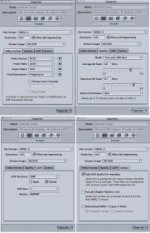
Tried these variations of making the quicktime movie:
1. Save as quicktime, current settings, trying both ref. and self contained.
2. save as quicktime conversion with various settings.
3. tried various codecs, current, h264, photojpg,dvcprohd, none
I could try compressor, but I'm not looking for tweaked improvements but a wholesale improvement over what I'm getting.
I'm viewing results on computer monitors and my home hd television where it fills out the full screen. Both computer LCD and Home TV look bad.
I'm taking the movie into IDVD. The high quality setting is marked.
Is IDVD capable enough for these tests?
If I'm making a little feature shooting 720 24pn what am I missing if I want to go the dvd?
The problem solver will have a contribution made to the charity of their choice.
Mike
Shot it at 720 24pn. Brought that into Final Cut Pro from the camera to the computer via firewire. Dropped it into the timeline and said yes to let the timeline comform as needed. resulting in settings: frame size: 960x720 (16:9). Pixel aspect ratio 960x720.
Tried these variations of making the quicktime movie:
1. Save as quicktime, current settings, trying both ref. and self contained.
2. save as quicktime conversion with various settings.
3. tried various codecs, current, h264, photojpg,dvcprohd, none
I could try compressor, but I'm not looking for tweaked improvements but a wholesale improvement over what I'm getting.
I'm viewing results on computer monitors and my home hd television where it fills out the full screen. Both computer LCD and Home TV look bad.
I'm taking the movie into IDVD. The high quality setting is marked.
Is IDVD capable enough for these tests?
If I'm making a little feature shooting 720 24pn what am I missing if I want to go the dvd?
The problem solver will have a contribution made to the charity of their choice.
Mike