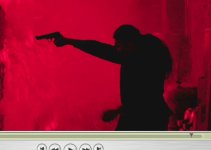
Something horribly wrong with FCP and the color red

Have you got 'Use High Quality Video settings where available' clicked in the QT prefs on both machines?
That isn't just your reds, but all your colours.

Yes, I have "use High Quality video when available" checked.
And also checked is, "Final Cut color compatibility".

Strange. It's made the ol iMac pretty useless as of late :(
 
Dont know if this helps or if it just makes things worse or even just naive of me but heres a screenshot from a PC.
 

Attachments

  • Untitled-1 copy.jpg
    Untitled-1 copy.jpg
    45 KB · Views: 0
I just took some test shots with my HVX, and this is the first time I'm going pretty warm AND in low light. I don't mind noise/grain, but the reds look like legos.

I've never seen this before. I previewed on P2 viewer and it looked terrible, so I brought it into FCP2, on my new MBP 17", with leopard. The footage looked FAR better, but the reds were messed up. I'm going to try some stuff. I ran into this in quicktime on PC years ago and DID find a fix.

I promise if I find a solution I will post ASAP. Let's all cross our fingers that someone here finds the solution, because this is unacceptable; and enough people are having the problem that this is not an isolated bug.
 
I just took some test shots with my HVX, and this is the first time I'm going pretty warm AND in low light. I don't mind noise/grain, but the reds look like legos.

I've never seen this before. I previewed on P2 viewer and it looked terrible, so I brought it into FCP2, on my new MBP 17", with leopard. The footage looked FAR better, but the reds were messed up. I'm going to try some stuff. I ran into this in quicktime on PC years ago and DID find a fix.

I promise if I find a solution I will post ASAP. Let's all cross our fingers that someone here finds the solution, because this is unacceptable; and enough people are having the problem that this is not an isolated bug.

Emeril's show last night (on the Food Network) was littered with the blocky red syndrome. Now I've seen it broadcast on 3 different channels.

Wonder when Apple is going to wake up and address this?
 
I agree!

I thought that it was just me & my eyes were starting to play me up. This is a huge issue for us to & Apple better wake up and realise that their user base needs help.


Mart.
 
More blocky reds on Spike Channel's powerblock this morning.

This is really embarrassing for Apple. I hope they get it worked out soon.
 
I'm not taking anything off Apple, but as far as this syndrom in reds, I just saw the same thing in the live NBA playoffs. No Apple involved.
Even if you manage everything perfectly, there are a lot of links in the pipeline that can screw up you perfect video. Especially in the reds.

So while I might not use Apple products, other elements can cause this as well. It does bite when it starts in your editor though.
 
More blocky reds on Spike Channel's powerblock this morning.

This is really embarrassing for Apple. I hope they get it worked out soon.

This is a huge issue for us to & Apple better wake up and realise that their user base needs help

What am I missing?

If this were a bug, then wouldn't it be a simple thing to reproduce the bug on every Mac?

I don't have this, and I moderate a board elsewhere. Nobody at all on those boards has this problem.

Have you filed a report with Apple about your concern?

If so when and where?
 
What am I missing?

If this were a bug, then wouldn't it be a simple thing to reproduce the bug on every Mac?

I don't have this, and I moderate a board elsewhere. Nobody at all on those boards has this problem.

Have you filed a report with Apple about your concern?

If so when and where?

I'd love to but I don't know what to report or to whom. If it were isolated to one app I'd be pounding the podium. Unfortunately it's screwing up everything.

Any suggestions?

*update* after a half hour of long-distance-charge-talking to Apple I have reached the conclusion that contacting Apple about anything is completely pointless.
 
Last edited:
It's pointless. The blocky reds issue has always been a mistery. I told you when you started this thread; nobody is coming with answers.

This thing occurs. It has been happening for long. Nobody seems to know why, might be a bad codec lost in some codec pack... but it does affect many users. You can tell so by searching in other forums, related issues are fairly usual. But what are the answers to those threads? Nada. They die of loneliness.

I've experienced many times in many different Macs, and though it's not hard to correct, it's definitely a flaw. And you're right, it's making it to Broadcast signals, I've seen it

But I guess nobody knows for certain how do these things work. We might need an engineer here. In the meantime, we can still shoot, baby.

It's not the big deal. Anyway, I shoot Pal -and Pal's clean.
 
Okay, looks like the red issue began sometime after 10.4.10 and FCP 5.0.4.

Still trying to figure it out.... on a separate note - I just got a demo DVD today from somebody looking for work. It was red-brick city.

Hey Apple! You've got a huge problem! (if anybody's listening).
 
I've tried in fcp 6 (i got blockyness red in pal version) to change sequence settings, switching to apple prores 422 HQ or uncompressed 422 10 bit. In uncompressed it becomes more blockyness than dcvpro hd codec, the apple prores codec seems giving no difference in reds than dvcprohd. So the problem probably is in the dvcpro hd codec as a component of QT.
 
I've tried in fcp 6 (i got blockyness red in pal version) to change sequence settings, switching to apple prores 422 HQ or uncompressed 422 10 bit. In uncompressed it becomes more blockyness than dcvpro hd codec, the apple prores codec seems giving no difference in reds than dvcprohd. So the problem probably is in the dvcpro hd codec as a component of QT.

Whatever it is Apple needs to fix this bullsh*t quick otherwise I'm going back to Avid.
 
This should be taken up directly with Apple, but exactly what is being accomplished by sharing all the anecdotal stuff about the color Red.

I can't reproduce it, and I post and moderate elsewhere, and have not seen other posts on it.

And there is nothing new ever in the thread.

And Apple is not listening here or monitoring the posts.
 
I'm glad I found this thread because I now know I'm not alone. I started getting the blockiness after setting up a macbook pro with FCP2. I'm on Tiger, so its nothing related to Leopard. QT version is 7.3.1. I first thought I must have had some sequence settings wrong but had to hand off the footage and didnt come back to it. Now I have something that *has* to look good, and something in the reds is seriously messed up, which of course is affecting skin to some degree. This footage is SD DV shot on the HVX.

I'll let you know if I can come up with something, or I guess it will go to Avid :(
 
Last edited by a moderator:
have you applied chroma smoothing to the footage? this is something that Avid does on import, but FCP leaves up to the user.
 
The red problem effects everything on the Macs that have it; DVD player, any NTSC source, Quicktime movies, etc. You might be able to make it less awful by chroma smoothing in FCP but you're really just polishing a turd at that point.
 
Back
Top