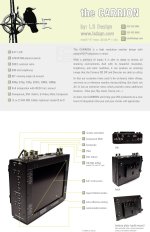
NEW 1024x768 HD Monitor

hi luis,
Thanks for making a great and affordable product!
Here's my feedback.
I work as a cinematographer in Singapore and received my monitor (TCHD-01b) about two months ago and have used it on two jobs so far. I am very satisfied with the monitor. In fact, I've compared it with the BT-LH900A Panasonic and the TV-logic LVM - 071W side by side at a rental hse. Frankly, i can't tell any difference in terms of resolution. With the more affordable price, I think i got a few who are watching interested after that :)

In my opinion, the original color on the carrion monitor is too saturated and the color temperature setting at 6500K is too blue. For color adjustment, the following are my setting. This is set with another pre-calibrated monitor. Any comments fr other users? :

Saturation: -40

Custom Color temperature:
R: 80
G: 80
B: -30

For those of you looking forr a bag for the monitor, i recommend this: Petrol PLCD-3
http://www.bhphotovideo.com/c/product/497430-REG/Petrol_PLCD_3_PLCD_3_LCD_Monitor_Bag.html

For power, besides the Tekkeon battery recommended, I would like to recommend another similar battery but with more power :60Wh instead of 50Wh. Chk out Arigo:
http://www.fesv.com.sg/productAMP60tech.asp

Luis, I've a few questions for you:

1) How do i make sure the settings i set for color saturation and color temperature remains. Cos, a few times initially they went back to the original setting, after i turn off the camera. But it remains so far.

2) What do u recommend for cleaning the LCD screen?

3) What do you recommend for mounting/supporting the monitor on camera ?

cheers,
 
Hey,

Thanks for the review.

What I usually do to get the color right is (this works with RGB component but not with DVI or HD-SDI since they don't allow for auto color correct) set the monitor to default settings.

Then I feed it bars from the HVX and go to the setup and do the Auto Color Gain.

This usually gets the color correcting pretty close.

Finally I adjust the contrast to about 60

and the brightness to about 45

Then I turn the blue gun on while still feeding the color bars and adjust the hue and saturation accordingly.

This I find gets the monitor pretty calibrated. As for keeping the setting, it has a memory, so it should always remember the settings. Not sure why it would change on you. it hasn't changed on me.

I've also seen the monitor next to the BT-LH900a and in my opinion the carrion is a little brighter and sharper and more contrasty. But that's just me.

For batteries, I really like the panasonic mount because I have an HVX so same battery and they last between 4-5 hrs for me. :)

For connecting it to my rig, I use a heavy duty noga arm (about $185 at filmtools.com. and a mini cardellini clamp. about $53 at filmtools.)

In regards to the other posts about warranty, I'm a really small operation and believe me when I tell you that my profit margins are low. So I probably not going to have the same setup as a larger company like Panasonic. If you want Panasonic warranty, then buy the $4800 monitor. (though my HVX firewireport busted with no fault of my own, and I still had to pay $365 because it was more than 1 year. Still, mnf. defect if you ask me)

I haven't instituted a policy yet, but I can tell you that I will try to take care of you the best that I can. Out of all the units send out, I only had one come back. It was a simple cable that got pulled out when I close the unit. I had the guy send it right back, fixed the problem and send it right back to him. Faster than it would have taken with a larger company.
 
waiting with bated breath for the carrion's trans atlantic voyage to india!
luis, you are part of revolution man.
its old skool kinda like... would you buy the mass produced good name brand or go with the farm fresh handmade organic product with the owners smiling face on the jar.
lol
i think im losing it...
 
Hahahaha, Thanks Shiv,

I really appreciate your business. I'm doing everything possible for the delivery date. :)

So far everyone has been very pleased with the product. :)

Also, it looks like I'm going to NAB. so for those who want to see the product. Stay tuned and I will let you know where to find me.

Luis
 
Hi Luis:

Since the Carrion doesn't feature the focus on red feature, can you describe how you use the Carrion monitor for focus when shooting with the HVX. I know that the Carrion has higher native resolution (1024x768) versus the 800x450 resolution that the Nebtek and Panasonic have but I am not clear what sort of peaking, zoom, 1:1 pixel settings that the Carrion has or that you recommend using.

I am leaning toward your monitor but I am mainly buying the monitor for focusing my Letus/HVX. Everyone seems to rave about the zoom and focus on red on the Panasonic, how does the Carrion compare in this department? I mostly shoot in 720 but is focus any more difficult in 1080?

Thanks,

Dan
 
Hi Dan,

If I'm not mistaken the Red Feature is not present on the older 8.4" $4800 panasonic monitor. It is available on the newer 7.9" $2300 (or so) model.

Some people love it, some think its distracting. I personally have not used either monitor. I've seen them a trade shows and such but haven't used them in the field.

As for the Carrion, it has more pixels, so that in itself makes it easier to focus. Its just sharper. But I also have a button on the side that lets you zoom in. On the early version of the monitor the button would just get you to the zoom menu option. Then you would have to zoom up with the buttons. a little time consuming, but if setting marks on your follow focus was well worth it.

My buttons are customizable, so I've been refining them and upgrading them. the last set went out with the size button toggling from zoom about 9% to about 19% or so. I'm trying to get them to Zoom 25% and 50% which would very much resemble 1:1 on 720 and 1:1 on 1080 respectively.

As for focusing from 1080 being more difficult than 720, I don't think so. Its about the same as far as I can tell.

I hope this answers your questions.

Luis
 
Hi Dan,

If I'm not mistaken the Red Feature is not present on the older 8.4" $4800 panasonic monitor. It is available on the newer 7.9" $2300 (or so) model.

Some people love it, some think its distracting. I personally have not used either monitor. I've seen them a trade shows and such but haven't used them in the field.

As for the Carrion, it has more pixels, so that in itself makes it easier to focus. Its just sharper. But I also have a button on the side that lets you zoom in. On the early version of the monitor the button would just get you to the zoom menu option. Then you would have to zoom up with the buttons. a little time consuming, but if setting marks on your follow focus was well worth it.

My buttons are customizable, so I've been refining them and upgrading them. the last set went out with the size button toggling from zoom about 9% to about 19% or so. I'm trying to get them to Zoom 25% and 50% which would very much resemble 1:1 on 720 and 1:1 on 1080 respectively.

As for focusing from 1080 being more difficult than 720, I don't think so. Its about the same as far as I can tell.

I hope this answers your questions.

Luis

Hi Luis:

That's great, I appreciate your response. Please let us know when and if you ever get the zoom button down to a one-touch function, that would be most excellent. I am writing some articles for some of the industry magazines, I am pitching doing a monitor test/review article so I will be in touch with you to discuss off line, if you are interested.

All my best,

Dan
 
I think you mis understood Dan. I have the zoom function down to a 3 button push now:

1st click Zoom level 25%
2nd click zoom level 50%
3rd click Zoom level 0%
 
I think you mis understood Dan. I have the zoom function down to a 3 button push now:

1st click Zoom level 25%
2nd click zoom level 50%
3rd click Zoom level 0%

Aha, that is too cool. You are right, I didn't pick up on that. Are you interested in more press for the Carrion? PM me and I can fill you in a story I am proposing for one of the magazines.

Best,

Dan
 
Puredrifting

I find the carrion a breeze to focus with on the HVX - the combination of the big screen and high resolution really makes it for me.

As you are in the LA area, if you'd like you can come by sometime and check it out


Brian
 
Strung up the Carrion again today for a small shoot. You really gotta love the fact that it's full 720p, that and how many people don't realize how the resolution really counts when focusing, etc.

As an on-board or client monitor (we used it for client today) it's fantastic. Every time I lay eyes on this sucker (from ANY ANGLE at that) it's just a "whoa" moment. Definitely THE monitor to have sub two-thousand dollars for a monitor.

Dan, definitely check Brian's out if you have the chance. See what you've been missing. :B No pun intended.
 
How does the Carrion work if you want 2.35:1? Does it have "Help or guide lines" on the screen?

Arno
 
Hi Arno,

Thanks for taking a look at the Carrion. The 2.35:1 would only be useful if you were feeding it an input that was 2.35:1. (which would have to be a non standard feed. Most likely HDMI or DVI) what the monitor would do is show that image proportionally correct. On another monitor it would just squeeze the image and everything would look thin.

If you wanted to do a 2.35:1 shoot which you knew you were going to crop in post, then the front of the monitor has markings that you could use to set up some tape or such to give you that guide, but there are no markings on the menus for that.

Hope that makes sense.
 
Arno,
Also, if you were using anamorphic lenses that squeezed the image, this monitor and setting should be able to un-squeeze it by using this setting. This could be a huge thing since one of the draw backs of anamorphic is focusing with a squeezed image. I've never tried this but theoretically it should work. :)
 
I just want to thank all those that are supporting my products by either buying them, or by spreading the word on these forums.

Also wanted everyone to know that I am going to NAB, I should be hanging out at the Redrock Micro Booth a lot since they bought one of my monitors and are displaying it at their booth. (You should also go see their new gear. I got a peak and it looks awesome)

If you want to meet while at NAB send me a PM and we can exchange info.

Once again, THANK YOU.

ps: I'm also urging all those that have purchased one to put up a quick review of how its working for them. Its a new product and some people are hesitant to try it without hearing from actual user.
 
We are showing the latest version of the Carrion including the upgraded screen, which looks great. I was already impressed by this monitor and Luis just keeps raising the bar


B
 
Thanks Brian for your kind words.

For those who won't be attending, here is a copy of the postcard I will be handing out about the Carrion.

For those who are going to NAB, I hope I see you there.

Thanks,

Luis
 

Attachments

  • Carrion-Postcard-150dpi.jpg
    Carrion-Postcard-150dpi.jpg
    129.4 KB · Views: 0
Back
Top