Cheap HD Field Monitor

Tim Young

Active member
Alright, so this isn't truly DIY, but it's in the DIY spirit. This is somewhat of a cross post since I already posted in the thread I'm about to mention, but I was afraid that people wouldn't see it over there (in the HVX forum). I bought this HD LCD TV a couple of days ago at circuit city:

Sharp 19" HDTV

EC.SHA.LC19SK24U.JPG


for us to use as a director's monitor with our HV-20. I ended up getting it for $227 total after tax. Read more about it in this thread:

http://www.dvxuser.com/V6/showthread.php?t=116567

This monitor was brought to my attention by dvxuser cheexweezl. It's not the Holy Grail of monitors, but so far it looks like a great cheap HD monitoring solution for us DIYers. The highlights:

1. 720p (tough to ask for 1080 at this price)
2. Has a "rotate" function which means it can invert the image to be used with a 35mm adapter without the need to mount it upside down (very cool)
3. Has a VESA mount and the stand it comes with can be detached easily. Can be made to mount on a C-stand or AV cart.
4. Haven't had a chance to use it much yet, but the image looks pretty darn good so far.
5. Cuts off a little bit of the image at the edges (like all TVs), but not as much as the LCD on my HV-20
6. Cheap! Was a special for $249 on black friday (I missed it), then went back up to $400 or so, and now it's back to $249. Coupon gets it down to $210 (see the other thread).

As I said, I haven't had the chance to use this much yet, but since this deal may not last long, I thought I'd mention it in case someone else wanted to give it a try.
 
Just curious, 'cuz I've wondered about this same type of thing for an external monitor myself. How do you power it "in the field" when you are out shooting?
 
Just curious, 'cuz I've wondered about this same type of thing for an external monitor myself. How do you power it "in the field" when you are out shooting?

Either rig up some batteries, use a car inverter, or get a power generator.
 
so far, we've only shot with this indoors. we have another small sony SD monitor that has battery capability, but we don't have a battery for it. we've always been able to plug in. and we have some very long extension cords. we do also have access to a small, quiet generator, although i think we've only used it once.
 
Yeah, it has component inputs. It also has a VGA input, which is how we connect it to the computer and use it as a display while editing. While editing it's hooked up to the computer by VGA and to an HD-DVD player by component, so we can output to HD-DVD and check our work (the inputs are switchable).
 
Yeah, it has component inputs. It also has a VGA input, which is how we connect it to the computer and use it as a display while editing. While editing it's hooked up to the computer by VGA and to an HD-DVD player by component, so we can output to HD-DVD and check our work (the inputs are switchable).


Well, I was most interested in the field applications for this monitor, as the title for this thread claims. For that you can't use VGA.

I also think you can't get HD video through VGA, only through DVI, HDMI and component.
 
Well, I was most interested in the field applications for this monitor, as the title for this thread claims. For that you can't use VGA.

I also think you can't get HD video through VGA, only through DVI, HDMI and component.


Hello carlmart.

I think you might have misread his post:


Yeah, it has component inputs. It also has a VGA input, which is how we connect it to the computer and use it as a display while editing. While editing it's hooked up to the computer by VGA and to an HD-DVD player by component, so we can output to HD-DVD and check our work (the inputs are switchable).
 
?????


It has component inputs. He uses these when he is shooting.


When he edits, he uses VGA to his computer. He most certainly can watch his footage on his monitor through his computer in max resolution (1366 x 768).


What is the problem you are seeing??????
 
?????


It has component inputs. He uses these when he is shooting.


When he edits, he uses VGA to his computer. He most certainly can watch his footage on his monitor through his computer in max resolution (1366 x 768).


What is the problem you are seeing??????

No problem at all.

Just that as I was looking for a field monitor, as such the major concern would be ways to connect it to a camera and how to power it. But that's how I see it, that's all.
 
Right...

You can connect this to the camera with component for HD.

Then, you can use the provided power supply or a battery pack to power it.

The limitations I see are:

It will need to be calibrated. (Standard)

It might suffer in situations where there is a good deal of ambient light.

and

It is so big, it is not really a run and gun monitor do to sheer size and power requirements.


But, for a couple of hundred bucks, not so bad.
 
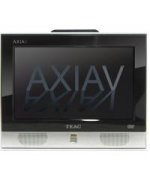
I just purchased the TEAC 12" LCD TV/DVD combo TV.
It has component and VGA input and is 12v/240v (I'm in NZ).

I'm using it as a field monitor for my Canon XHA1 and is giving me a fantastic picture for $500 NZ.
 

Attachments

  • TEAC.jpg
    TEAC.jpg
    5.6 KB · Views: 0
Right...

You can connect this to the camera with component for HD.

Then, you can use the provided power supply or a battery pack to power it.

A battery pack and inverter, as in most computer LCD monitors used for this application. I think the Mac is the only monitor that can be used with an external DC supply (24v). Is there any other large size (affordable) monitor that can be powered directly off 12v/24v?

This Sharp certainly seems like a very good option for HD, even if for 720p. As HDV is only 1080i, then you are all served.

The limitations I see are:

It will need to be calibrated. (Standard)
Does it allow a good calibration?

It might suffer in situations where there is a good deal of ambient light.
Nothing a good shade won't cure. All monitors suffer with ambient light, particularly LCDs.

It is so big, it is not really a run and gun monitor do to sheer size and power requirements.
If you are shooting HD, particularly HDV, you need a large size field HD-capable monitor in a non-mobile position to check things as focus and contrast, which can't quite be corrected later on in post, as color can.

But, for a couple of hundred bucks, not so bad.
Well, now seems to have gone up again in CC.
 
A battery pack and inverter, as in most computer LCD monitors used for this application. I think the Mac is the only monitor that can be used with an external DC supply (24v). Is there any other large size (affordable) monitor that can be powered directly off 12v/24v?

...

I don't think this can be natively powered by 12v/24v with it's current port configuration.

But, it can be modified by a skilled and knowledgeable technician.

It might just be better off to get a Samsung monitor though.

DIY Samsung HD Monitor thread
 
I don't think this can be natively powered by 12v/24v with it's current port configuration.

What do you mean by port configuration? I imagined the Sharp might be powered as usual in these monitors, which is going in with the AC cable. Isn't that so?

But, it can be modified by a skilled and knowledgeable technician.
If the supply is inside the monitor, with the AC cable plugging in, then it may be quite difficult to power off batteries. Batteries + inverter might be the best way to go.


It might just be better off to get a Samsung monitor though.

DIY Samsung HD Monitor thread
Very interesting. The screen is a bit smaller than the Sharp, but it's 1080p, with DC powering. You would need 12v and 5v, but that should be easier to achieve.
 
I also purchased this monitor a week ago and will be using it in a upcoming shoot. i prev used a friends monitor (diff brand and smaller in size) which worked great.
 
Back
Top