Firestore FS100 and FCP 5.1.2 Red Status on Import

HD Studio Belgium

Well-known member
Hi ... I did an organize P2 ... connected Firestore to Mac ... did import Panasonic P2 through FCP ... I get the nice new import capture window ... I do see all my clips ...
but when I drag the files to import ... only a few start importing others get a red six sided warning sign in the status column ... I can preview them and play them ... but I can't import them ... kinda strange ... older clips still on the drive that I did import before now get the red status warning sign as well ... any suggestions ?
 
Very interesting. I've never seen a red warning icon in that window before. I'm posting so I can get notified of other posts here. I'm very interested to find out what that is all about.
 
Ditto... never saw it so I'm posting as well to subscribe to the thread.

What I might suggest is that it is a corrupt clip. Try using the Firestore's Repair Clip function and see if FCP can then import the file.

Ned Soltz
 
Repair Clip does not work ...

Repair Clip does not work ...

Hi ... I did the repair function to a bunch of clips and tried to import them again.
(Even did a new P2 Organize in between) ... in FCP it looked like it was working ...
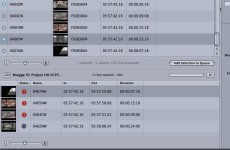
got the syncing arrows to spin ... but after a while ... again my red warning status symbol came up ... screen shots attached.

Don't like to be the only one to have this problem .. I can take the shots again ...
just trying not to do the 730 steps up the Belfry in Brugge ...

Thanks for the suggestions ... keep them coming.
 

Attachments

  • 1.jpg
    1.jpg
    85.8 KB · Views: 0
Try this. Make a folder on your hard drive. Then copy the FS-100's CONTENTS folder and LASTCLIP.txt file into it. Point FCP to that copy of thE CONTENTS folder the import from. What happens?
 
Still doesn't work ... thanks for the suggestions ... I wonder if the reason is the following ... I did an earlier shoot and did organize P2 ... imported those files ... no problem ... I did not reformat the drive or delete these clips ... went out ... did another shoot and did another P2 Organize ... might that be conlicting ? ... multiple Organize P2 commands ?

Just a thought ... won't erase the copied folder ... hoping the guy from Firestore might read this thread ... and has an answer ...
 
I think that might be your problem. What I have done-- and what I tell clients as well as those who rent my Firestore-- is to finish your shoot completely and then do organize P2. After copying the MXF files from the P2 and, if time permits, verifying that the clips work, I recommend reformatting the Firestore before shooting again.

Ned Soltz
 
What format are you shooting? There is a thread over at the Cow regarding DVCPRO 50 and the same problem. Panasonic is aware of this as they think it could be a QT issue. What versions of FCP and QT are you running?
 
Once Organize P2 is run on the FS-100, that's it. Repair clips, repeating the organize, none of that will actually do anything once the organize is done. When that's done, you have what you have, and that's that.

Have you tried contacting Focus' tech support? They're really nice folks.
 
Possible work-around

Possible work-around

I think that yachtclubav might have found a work-around for this problem??

Check out his solution:

yachtclubav said:
I made a new thread to outline the methods that have worked for me in several tests. These current threads seem cluttered and i wanted to keep it organized somewhere... but sorry for the mulitple threads on the same topic!

http://www.dvxuser.com/V6/showthread.php?t=78488
 
Back
Top