3dmax Arrow follow a path

kilmyneo

Well-known member
hi, im new with 3dmax , my question is how can i do to achieve this.

i have an arrow made it with spline and extrude and a Spline with an S Shape...
well.. how can i attach this arrow to the S shape and extrude it, so that way i have an arrow with S shape and i can move it all along the path.


thanks:thumbsup:
 
your questioning is rather confusing,

are you having problems modelling it or, or are you trying to animate it?

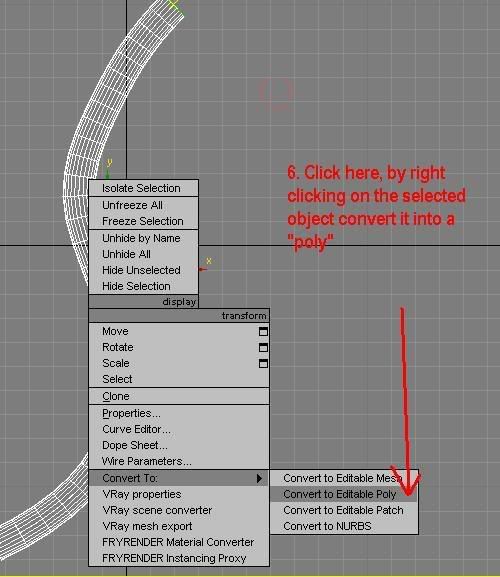
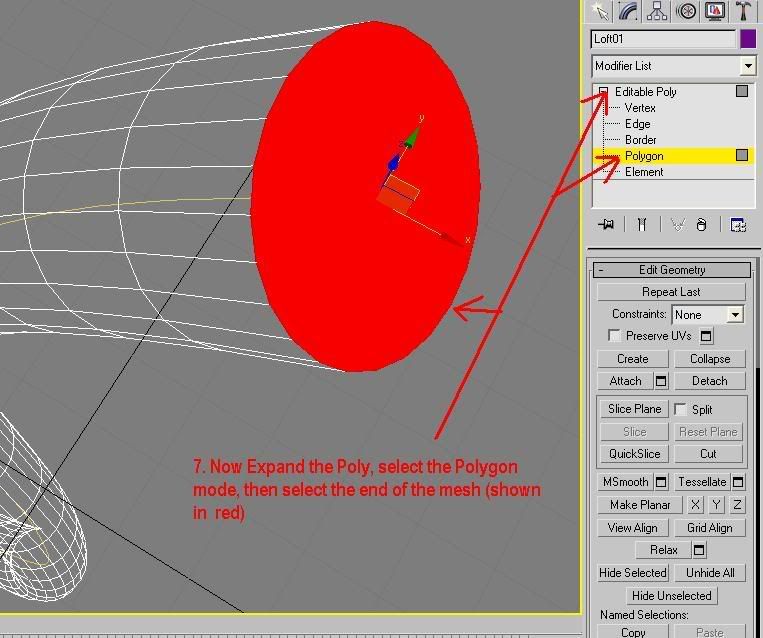
if its modelling, then to attach to objects, you can convert each object to a poly, then in the poly edit mode go to attach mode and select the other part of your model, then you can weld the vertices.

If your talking about animation, its simple, you need to click on the motion tab, and use a "path follow" constraint, select the spline as the path.
 
sorry about my poor english....this is what i want to do

36987477qj2.jpg
 
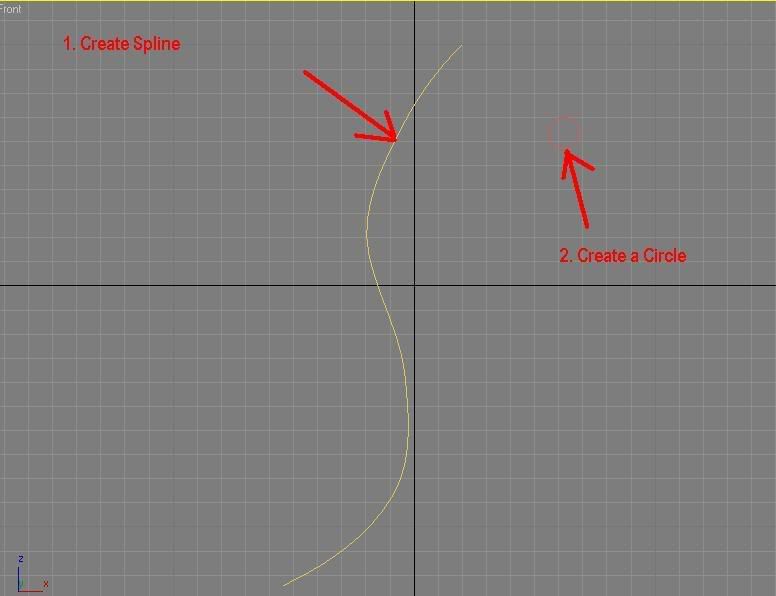
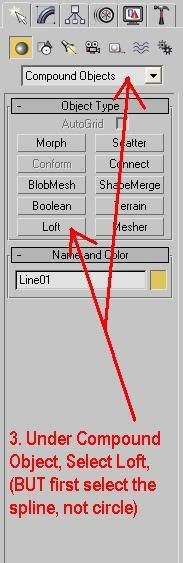
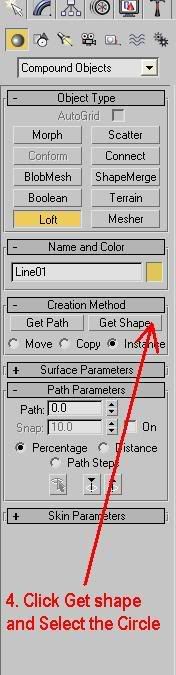
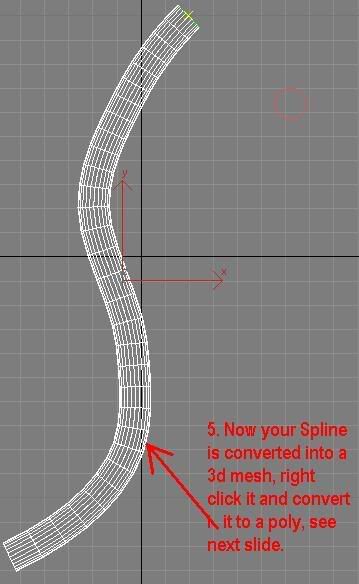
ok I don't normally do this but here you go, sorry if the steps are too newbie like, the reason I like to show all the details is because, sometimes if I say do X you might not now how to do X or Y, so its better to include something in case you don't know how to do it:

Arrow Tutorial:

step_a.jpg


step_b.jpg


step_c.jpg


step_d.jpg


step_e.jpg


step_f.jpg


step_g.jpg


step_h.jpg


step_i.jpg


END
 
No problem your very welcome, I hope that it helps and it resolves your issue.

EDIT: I forgot to mention, that your english is actually very good :) please do not think I was infering that it was bad!
 
Back
Top