Days of Being Wrinkle Free - Color Correction

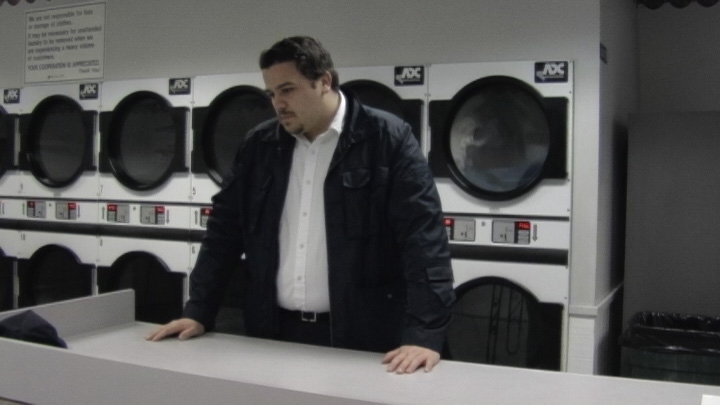
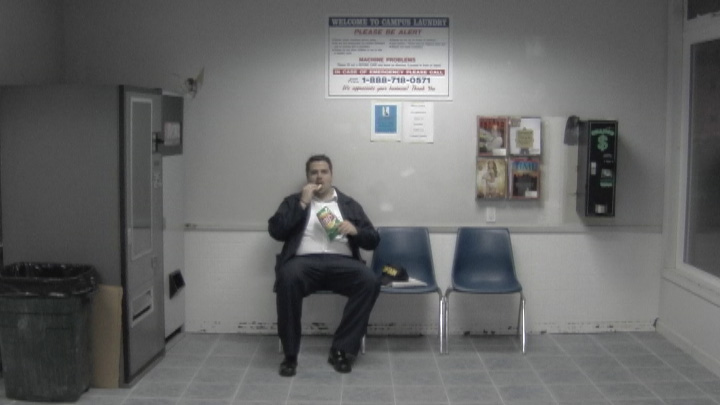
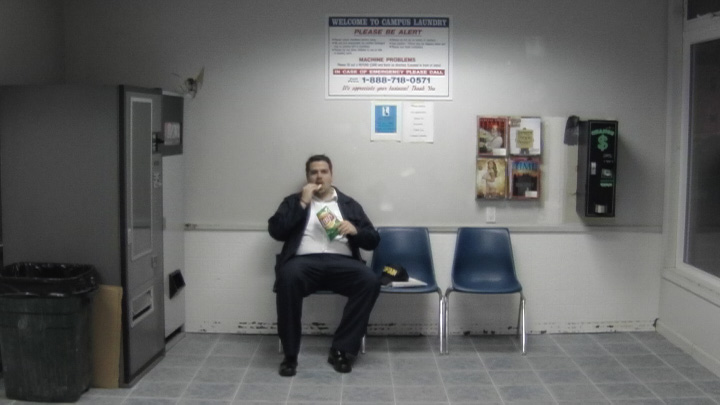
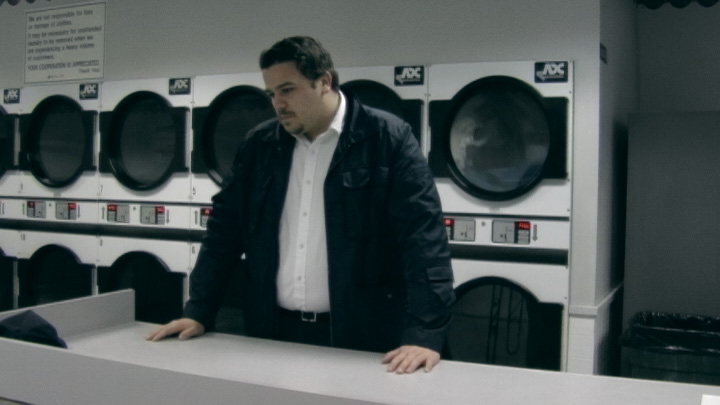
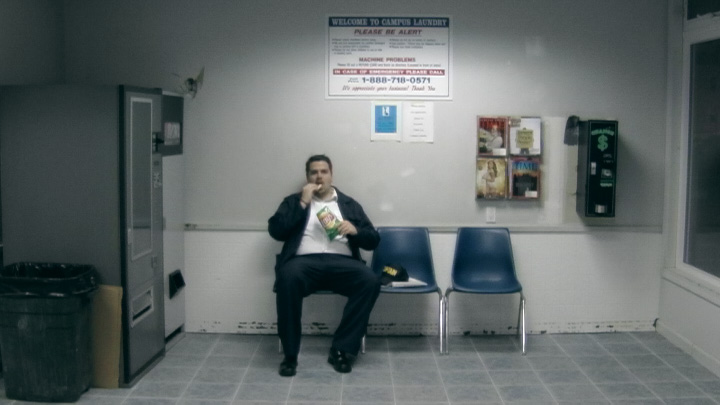
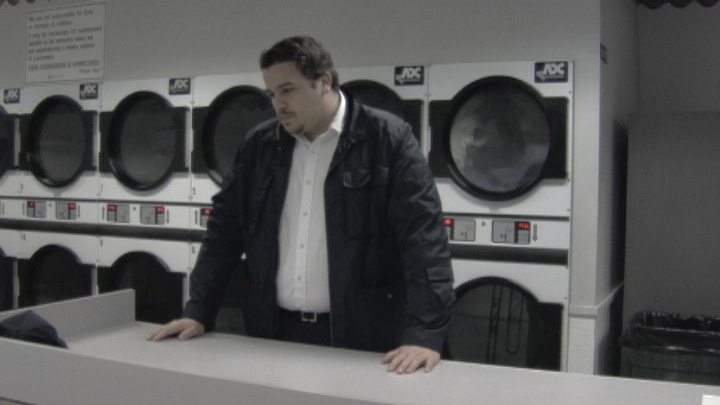
Gentlemen, I wanted to get some opinions on some color correction. This is for a short film I shot and directed called Days of Being Wrinkle Free. It was shot on the Panny GS400 in early 2005, with manual white balance and low contrast settings. The footage was deinterlaced with DV Film Maker to 30p, then retimed to 24p, Rebel deartifacted and color corrected in AE. I used Curves to make the footage brighter, more contrasty, and added a bit of saturation to make the skin tones look natural. That's it.

The location was very monochromatic, not very interesting. I'm wondering if it looks good the way it is, or if there is a more interesting look that could be given to it. Because the location is so gray, it's been hard to create any kind of look that doesn't look like a straight tint.

What do you think? Feel free to give a crack at correcting these stills.
dobwf01-before.jpg


dobwf01-after.jpg


dobwf02-before.jpg


dobwf02-after.jpg
 
I like the grey- might be nice to add some hues into the image based on the tone, seems like cyan works.


Just whipped this up really quick:

dobwf01-before.jpg

1229637089.jpg

dobwf02-before.jpg

1229637214.jpg
 
I think they look very good as is. There is not much destruction of the low or high mids when bumping the contrast, which is a nice change. Everyone wants to slam the highs and crush the blacks, taking valuable information with it.

You may want to color grade it a little, depending on what emotional content that scene has. A simple Curves tweak would do that nicely.

But for god's sake don't blow it out. Film has much more dynamic range, so keep as much detail as you can.
 
I just put a little cyan + blue into the shadows with a bit of yellow + magenta into the mids and highlights. You can just use a 3-way in FCP to do it.
 
I like your first run, your contrast adjustments make it appear more in focus then the original, but why would you shoot low contrast just to add more contrast?
 
I like your first run, your contrast adjustments make it appear more in focus then the original, but why would you shoot low contrast just to add more contrast?

Ah, trying to make sure I retained all the detail (no crushing/clipping). Sort of the idea behind shooting CINELIKE_D for max dynamic range on a DVX. I probably wouldn't go quite so lowcon if I shot it again, but this was early 2005.
 
Hunter, thanks for the suggestion, you got me pointed in the right direction. I ended up going not so extreme, but I did go in the direction of Cyan.

I don't have a 3-way color corrector in my very old version of After Effects, but I did have a Color Balance tool to work with. I took -20 Red out of Shadows and Highlights, and added +30 Red to the midtones to keep the skin tones in line.

It definitely makes it look a bit more distinctive without looking unnatural. Thanks again!

Initial Color Correction
dobwf01-after.jpg


Final Color Correction
dobwf01-after2.jpg


Initial Color Correction
dobwf02-after.jpg


Final Color Correction
dobwf02-after2.jpg
 
Back
Top