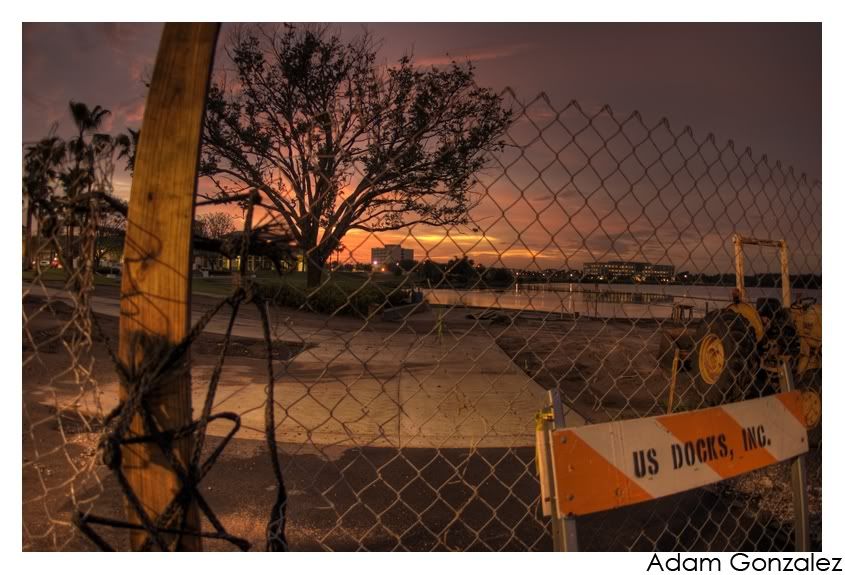
HDR User Thread - Post any HDR pictures you have taken

120 frames? Man, I rottoscoped more frames then that in a day. What you speak of isnt even half that work, just adjusting the exposures. I personally dont think it will work, unless I see some actual prof. The reason I am not convinced is because my friends tried to do this same method with taking footage and trying to turn it into HDR footage. The reason this doesnt work is that there was no latitude and everything looked worse. It was grainy and crappy looking. What I do think might work is trying this method with film because you get that extra latitude to play with.

But anyways back the title of this thread, anyone have any HDR pictures to share?
 
Hey alveraz,

Here is the link to photomatix, it is very easy to pick up. http://www.hdrsoft.com/

Just take 7-9 of the exact same photo at different exposures, then photomatix in two steps: (1) HDR creation from menu "HDR/Generate", (2) Tone Mapping to reveal HDR from menu "HDR/Tone Mapping"

Thats it. Make the HDR image then tonemap it. When tonemapping you want to play around with the settings until u like what you see, each image has different settings for tonemapping.
 
Nice theory Jeremy, could you post a 5 second clip to back that up? I would love to see an HDR video, even if it were a few seconds.
Photomatix supports batch processing, so you could output your video as a series of still images and run them through Photomatix that way.

The problem is that simply adjusting the brightness in your NLE to create the bracketed exposure is not the same as taking a true exposure bracket, so I wouldn't expect the results to match what you can get with still images.
 
Hey alveraz,

Here is the link to photomatix, it is very easy to pick up. http://www.hdrsoft.com/

Just take 7-9 of the exact same photo at different exposures, then photomatix in two steps: (1) HDR creation from menu "HDR/Generate", (2) Tone Mapping to reveal HDR from menu "HDR/Tone Mapping"

Thats it. Make the HDR image then tonemap it. When tonemapping you want to play around with the settings until u like what you see, each image has different settings for tonemapping.
Photomatix can also use a single RAW image as a source and create a pseudo-HDR image from that. RAW images typically contain 12 or 14 bits per channel instead of the 8 bits found in JPEGs, and thus have more headroom for adjusting the exposure. The nice thing about this is that it avoids all motion artifacts between exposures.
 
Handheld, 3 exposures, MLU

view01tn7.jpg
 
HDR image of Payne's Prairie in Gainesville, Florida.

Nikon D200
Nikon 18-70mm F3.5-5.6
5 Frames bracketed!

PaynesSharpened.jpg

 
Last edited:
Back
Top