
Mark Seibert
Well-known member
Hey All,
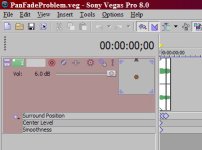
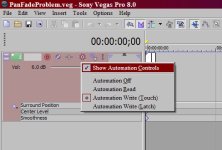
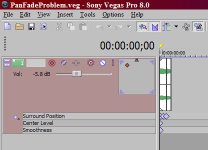
I'm stuck, and Sony is being rather unhelpful. I have several projects that I'm tyring to work with Surround Sound, and I'm getting some really strage behaviors. I've sent examples to Sony tech Support and here's the short answer from them:
" I can see that, in the project you uploaded, the surround panner does not work properly on the second event. Making changes within this project produces mixed results.
Since the surround panner works flawlessly in other projects, this is not a bug. There is an issue with the project you have uploaded. If you are reproducing the issue in other projects, then there is clearly a workflow issue, probably in keyframing the surround panner."
They go on to suggest that I dump ALL of my work and start over...which is unthinkable. I've got 40+ tracks on some of these projects, and hundreds of hours invested. Besides, what's to say this won't just happen again.
AND this is crazy - yes, my workflow might be revealing this bug, but to suggest it's not a bug because it my workflow is nuts! Has anyone else been seeing problems with Surround Sound? Clearly I've found a bug that they really don't feel is worth their time to fix, but if enough people report this problem it might get their attention.
I'm stuck, and Sony is being rather unhelpful. I have several projects that I'm tyring to work with Surround Sound, and I'm getting some really strage behaviors. I've sent examples to Sony tech Support and here's the short answer from them:
" I can see that, in the project you uploaded, the surround panner does not work properly on the second event. Making changes within this project produces mixed results.
Since the surround panner works flawlessly in other projects, this is not a bug. There is an issue with the project you have uploaded. If you are reproducing the issue in other projects, then there is clearly a workflow issue, probably in keyframing the surround panner."
They go on to suggest that I dump ALL of my work and start over...which is unthinkable. I've got 40+ tracks on some of these projects, and hundreds of hours invested. Besides, what's to say this won't just happen again.
AND this is crazy - yes, my workflow might be revealing this bug, but to suggest it's not a bug because it my workflow is nuts! Has anyone else been seeing problems with Surround Sound? Clearly I've found a bug that they really don't feel is worth their time to fix, but if enough people report this problem it might get their attention.


 . David, do you find Vegas 8 Pro rendering and performing generally faster than Vegas 7 ?