FCP 514 + Media Manager + SERIOUS INTERLACING

janusz

Well-known member
Hello,

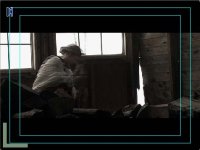
I am recompressing a MiniDV 24p (2.3.2.3, 29.97) project to Uncompressed (by selecting Compressor 'None', not Uncompressed 8 or 10 bit) using Media Manager for colour correction. When selecting the recompress settings, I have matched everyting from my original sequence, but when I view the new Uncompressed sequence either in full motion or frame by frame, I see serious interlacing. Why is this happening?

The letterbox filter was applied before the recompression. A few Colour Correct tweaks using Colour Corrector 3-Way were applied to the footage before recompression as well.

An example image included.

Thanks so much.
 

Attachments
  • ROTW_interlace_screengrab.jpg
    ROTW_interlace_screengrab.jpg
    47.2 KB · Views: 0
Last edited:
Looks like your fields might have gotten reversed somewhere along the way. Maybe uncompressed has a different field dominance than DV?
 
kwoff said:
Looks like your fields might have gotten reversed somewhere along the way. Maybe uncompressed has a different field dominance than DV?

the field dominance of the original sequence is at lower, so i made sure the recompress sequence was also lower, so i dont think that is it.

thanks.
 
This may be a stupid question as I don't use the MM very often, but why use the "recompress" option instead of "move" or "copy"?


-A
 
adkimery said:
This may be a stupid question as I don't use the MM very often, but why use the "recompress" option instead of "move" or "copy"?


-A

Not dumb at all...

Because I have to recompress the DV/NTSC footage to Uncompressed for proper CC. DV/NTSC doesnt hold up to CC very well, and starts to artifact and band very quickly. The image just erodes after manipulation.

Thanks,
 
janusz said:
Not dumb at all...

Because I have to recompress the DV/NTSC footage to Uncompressed for proper CC. DV/NTSC doesnt hold up to CC very well, and starts to artifact and band very quickly. The image just erodes after manipulation.

Thanks,
I understand the limitations of DV when it comes to things like CCing. I guess I'm just not sure why you are going about it using the MM. What are the advantages of using the MM as opposed to just coping and pasting the clips from your DV sequence into an Uncompressed sequence?


-A
 
adkimery said:
I understand the limitations of DV when it comes to things like CCing. I guess I'm just not sure why you are going about it using the MM. What are the advantages of using the MM as opposed to just coping and pasting the clips from your DV sequence into an Uncompressed sequence?


-A

If I do it that way, the recompression of the footage isn't nearly as good as it would be via the MM way.
 
Zak Forsman said:
are you looking at this on a client monitor (like a television), or a computer display?

this is a computer display, but I have never seen interlacing like this on an LCD or CRT. The original sequence showed no hint of interlacing.
 
This isn't directly responsive to your question, but I wondered whether you have tried Graham Nattress's G-Nicer filter, which is part of his Film Effects suite that he sells for $100. His filter doesn't just convert DV clips to a 4:2:2 color space, it has an algorithm that rebuilds the color info. Several of the experts on this site have reported that it is very helpful for color keying DV footage, so I would guess that it would also be helpful for CC'ing DV footage. There's is a bunch of information on his site, but I don't have the link handy.
 
kwoff said:
This isn't directly responsive to your question, but I wondered whether you have tried Graham Nattress's G-Nicer filter, which is part of his Film Effects suite that he sells for $100. His filter doesn't just convert DV clips to a 4:2:2 color space, it has an algorithm that rebuilds the color info. Several of the experts on this site have reported that it is very helpful for color keying DV footage, so I would guess that it would also be helpful for CC'ing DV footage. There's is a bunch of information on his site, but I don't have the link handy.

Thanks, I do have the Gfilm plug ins, but have not tried then for this problem.

I found the solution... it is normal. B/c I shot 24p and FCP de-interlaces the motion upon playback, I wouldn't see hat interlacing in the DV codec, but once I recompress to uncompressed, FCP doesn't de-interlace Uncompressed codec. So it displays the interlacing that is inherent in the footage. If you view it on a CRT, the interlacing is not noticeable b/c it is an interlaced display, but it will look as the screengrab did on a progressive display, or LCD.
 
Jan,

It is my understanding that 24pa footage, with its 2:3:3:2 pull-down would not result in the interlacing artifacts you are describing with your footage, which you said above was shot in 24p (2:3:2:3). I believe the benefit of 24pa is that it never combines fields from different frames and hence does not create the "combing" effect that appears to be present in your screen grab. I would be curious to see if shooting in 24pa eliminates your problem.

Kevin
 
Back
Top