What's your process in backing up your data?

Jay Rodriguez

Coffee Member
So I have my two new 500GB drives and I'm in the process of formatting them (mac). Then the question hits me, I wonder how I should actually set this up to have an effective back up system in place.

Do any of you guys have an automated process in place?

I function off of a mac.
 
raid.

once a week i spray the hard drive with bug spray to make sure no critter can get inside. so far it's keeping bugs out.
 
ugafan said:
raid.

once a week i spray the hard drive with bug spray to make sure no critter can get inside. so far it's keeping bugs out.
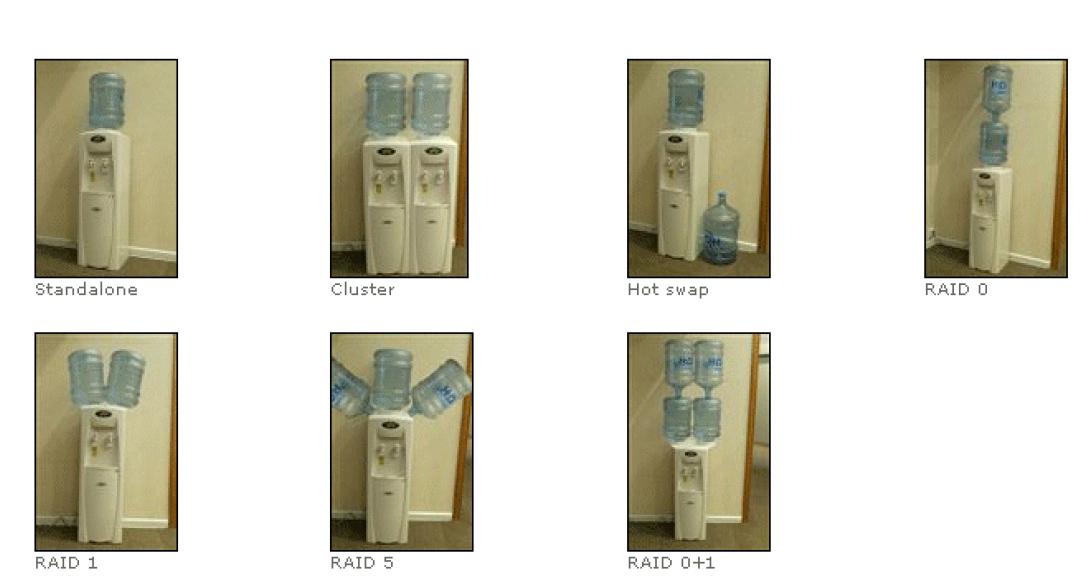
Would that be raid 0, 1, 5, or 0 +1 ?
raid.jpg
 
When my Raid 0+1 took a dump on me, I discovered the hard way that a Raid 5 is about the only way to be sure you have redundant info to restore. At least that is what the Geeks at the shop told me. It could have just been a cop out, because they understood Raid arrays less than I do.
 
One died, and I took a new drive the other drive, and said "Please get the stuff off of it?" and they looked at it and said "What stuff?". I have a barely passable ability to build a Raid array, and no idea how to rebuild one. So I was at their mercy.
 
Ok, I have two 500gb drives, one 250 GB drive and the drive in the mac is 160gb (i think)

What do u think is the best set up that I could persue?
 
Looks like everyone's ****ing with you. Do you have a .Mac account? If you do, there is a backup utility, called Backup (can you believe it?) that you can structure to do custom backups...from one HDD to another.
 
For total Security, Do Raid 1, Its really easy to do threw the Mac Disk Utility, that way, all your Data will be on 2 drives, so if one fails, you have a easy backup.
 
Thanks Blaine, I'll go to the apple sight right now to check it out.

miniman, do u know where a quick tutorial is to show a step by step?
 
Unfortunatly, i dont have a tutorial for this one, but i have set it up before, and i can piece it back together in my mind if needed.

Just kidding - found one :-D (No pictures though)
  1. In Disk Utility, select one of the disks in the list that you want to use in the set and click RAID.
  2. Type a name for the RAID set and choose a format from the Volume Format pop-up menu.
  3. Choose a RAID type from the pop-up menu.
  4. Drag the disks you want to use in the set to the list on the right. If you are creating a mirrored RAID set, you can choose a type for each disk from the RAID Type pop-up menu. Choose "slice" to make the disk a regular member of the set, choose "spare" to have the RAID set only start using the disk if one of the other disks fails.
  5. Click the Options button to specify an optimal block size for the data stored on the set. If you are creating a mirrored RAID set, select RAID Mirror AutoRebuild. Click OK when you're finished.
  6. Click Create.
 
So if I set up a mirrored raid and saved my FCP project to it, it will automatically save mirrored copied to both drives, right?
 
Yes, With Mirrored raid, or Raid one, whenever you write data to that drive, it will be written instantly to the other.
WARNING - Make sure these drives dont have anything on them , because when you do this, you are going to be whiping the current data.
 
Back
Top