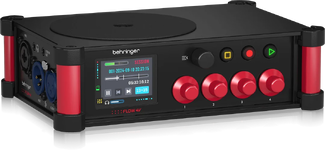
UPDATED: The $300 Recorder Question, or, "Which cheap audio recorder should I get?"
The original title to this article references “The $300 Recorder Question”. That price point is still here, but the solutions available in that range are now a bit different. If you’re in the market for your first sound recorder, or you’re looking to move up to something else, this is for you.
When I first posted this article, we were in a state of over-saturation when it came to portable digital recorders. It seemed like every possible brand was tossing out its own slew of awkwardly-designed recorders, really designed for musicians, and touting them as solutions for film/TV/video sound production. It’s been 10 years (!!!), and quite a bit has changed. Several of the options have disappeared. Fortunately, that actually works in our favor and makes this question a bit easier to answer.
So, you want to buy a sound recorder for your video production. There are options: quite a few options. Which one is the right one? Where do we even begin to figure that out?
The first thing to consider is form factor. For the sake of this article, I’ll break these down into four types: belt/pocket, handheld, bag-friendly, and cart-based. Each has its usefulness, but there’s no one-size-fits-all. Other considerations are budget, number of needed inputs, and other features essential to your workflow such as time code and 32-bit recording. These can all be addressed within the four types of sound recorder.
BELT/POCKET RECORDERS
The belt/pocket form factor of recorder has been recently popularized. They’re compact devices, roughly the size of a wireless transmitter (though some are smaller), and some options can jam to time code. These recorders are designed for a lavaliere mic to be plugged directly in, then placed on the talent either clipped to a belt or dropped into a pocket.
The advantage of these recorders is that they eliminate wireless transmission and thus the potential for RF interference and dropouts. For this reason, they’ve become popular with wedding videographers who can put them on bride, groom, and officiant and not have to deal with managing several wireless channels in unpredictable environments. But this also brings up the biggest disadvantage: control.
There’s an old adage in production sound: “If you aren’t listening, you aren’t recording.” Placing a recorder on talent and just letting it roll means there’s no way to hear if problems pop up mid-take. Some of these recorders come with apps for monitoring levels, but level meters only tell a small part of the story. The meters may be moving, but what’s making them move? Clean dialog, or noise? Post-production is too late to find out that the audio recorded with lots of fabric rub, or that the mic dropped out of place and everything was muffled, or that your levels were way too low or so high they’re distorted or clipped. (32-bit float recording can allow for correcting levels that are too low or too high, but that also requires some extra effort in your post workflow.)
I carry a couple of these in my kit, though. I find them handy as backup plant mics for things like driving shots with bag drops (the sound bag is left recording unattended in the vehicle), where I can pop one in the visor just in case something goes wrong in my bag. Personally, I would never rely on them as my primary recording devices, especially since I can’t listen to them while they record.
Also of note in the US, due to Zaxcom’s patent, is that these recorders do not pass signal through the headphone output while in record.
Options under $300 at time of writing are the Tascam DR-10L and the Zoom F1 and F2. The F2 utilizes 32-bit float and also offers an upgraded model, the F2-BT, that allows Bluetooth setup and time code sync. The time code sync function is compatible only with Time Code Systems’ Blue TC box. It doesn’t work with Tentacle Sync. There’s also the Deity PR-2, which offers 32-bit float and can integrate with the Deity TC-1 timecode ecosystem with wireless sync through the same app.
Just above the $300 mark is the Tentacle Sync TRACK E. Also utilizing 32-bit float, if you’re already using Tentacle Sync E as your time code system, the recorder nestles fully into that ecosystem and jams time code through the same app along with all the Sync E boxes in the kit.
On the higher end are the Lectrosonics MTCR (single-channel) and SPDR (stereo) recorders, with time code. Both record 24-bit. The MTCR offers 48kHz sample rate, while the SPDR offers both 48kHz and 96kHz. Personally, I keep a SPDR in my bag, for use as a visor rig during driving shots. It’s also handy as a time-coded stereo mix backup recorder for run-and-gun situations.
More and more wireless transmitters are showing up with built-in recording functions as well. Again, due to the patent, Zaxcom is the only one (in the US) that is able to record and transmit simultaneously (with some licensed exceptions in the consumer/prosumer category). I mention them here as they can serve the same function as pocket/beltpack recorders.
HANDHELD RECORDERS
Handheld recorders originally came about as tools for musicians to record rehearsals and working versions (sketchpads) of their music. It didn’t take long for amateur and indie filmmakers to adopt them for use on set. These recorders are still very popular and offer many options for those looking for a recorder on a budget. The form factor, however, comes with some caveats.
The first thing to examine in a handheld recorder is its connectivity. There are handhelds that come with XLR inputs for use with better microphones, and there are handhelds that are more focused on their built-in stereo mic array and have no XLR inputs. If you’re planning on using a mic that uses XLR connection, trying to adapt for use with a small handheld that has only a 3.5mm (1/8”) input is going to cause some frustration.
For the handheld recorders that have XLR inputs with phantom power, there are also options: how many inputs? Some offer two, some offer up to 8. It all depends on how many channels you need for the work you do, especially if you’re using several channels of wireless for your talent.
But here’s the big caveat for these devices: they’re clumsy, especially the more XLR inputs they have. Two XLR ins on the bottom can be handy, and the connectors keep streamlined with the length of the recorder. There are handhelds out there that offer lots of XLR ins and, fully-loaded, end up looking like an arachnid. At that point, it’s best left sitting on a table or desk (fine for podcasting, but not so much for location sound).
The clumsiness really comes down to viewing and access. Handheld recorders are meant to be, well... handheld, or set up on a tripod. When it comes to location sound recording, it’s important to be mobile, agile, able to keep an eye on the display screen, and able to access the controls quickly and efficiently. The challenge is that there’s no elegant way to set up one of these recorders in a bag that allows all of those things to happen. Simply, these recorders are not at all bag-friendly.
I do keep a handheld recorder in my kit, one without XLR inputs, as it makes snagging quick sound effects and ambient sound beds very easy when I don’t have time to set up my full SFX recording kit. I can take it anywhere, and be up and recording in no time if I happen upon interesting sounds as a I travel.
Under-$300 options abound from Tascam and Zoom, with and without XLR inputs. Roland even still has one option here, no XLR. Both Tascam and Zoom also offer options just above $300. Sony has a few options above and below $300, but only one offers XLR inputs. If sound design is your thing and you want to spend more on a very good-quality handheld (no XLR), look to the Sony PCM-D100.
Please note: if you think you’ve found a bargain with a digital voice/memo recorder, think again. These are low-resolution recorders that are more about maximizing recording time at the expense of sound quality. They don’t typically record uncompressed. They’re great for office dictation, but aren’t worth the investment for production sound.
Continued below with Part II.
The original title to this article references “The $300 Recorder Question”. That price point is still here, but the solutions available in that range are now a bit different. If you’re in the market for your first sound recorder, or you’re looking to move up to something else, this is for you.
When I first posted this article, we were in a state of over-saturation when it came to portable digital recorders. It seemed like every possible brand was tossing out its own slew of awkwardly-designed recorders, really designed for musicians, and touting them as solutions for film/TV/video sound production. It’s been 10 years (!!!), and quite a bit has changed. Several of the options have disappeared. Fortunately, that actually works in our favor and makes this question a bit easier to answer.
So, you want to buy a sound recorder for your video production. There are options: quite a few options. Which one is the right one? Where do we even begin to figure that out?
The first thing to consider is form factor. For the sake of this article, I’ll break these down into four types: belt/pocket, handheld, bag-friendly, and cart-based. Each has its usefulness, but there’s no one-size-fits-all. Other considerations are budget, number of needed inputs, and other features essential to your workflow such as time code and 32-bit recording. These can all be addressed within the four types of sound recorder.
BELT/POCKET RECORDERS
The belt/pocket form factor of recorder has been recently popularized. They’re compact devices, roughly the size of a wireless transmitter (though some are smaller), and some options can jam to time code. These recorders are designed for a lavaliere mic to be plugged directly in, then placed on the talent either clipped to a belt or dropped into a pocket.
The advantage of these recorders is that they eliminate wireless transmission and thus the potential for RF interference and dropouts. For this reason, they’ve become popular with wedding videographers who can put them on bride, groom, and officiant and not have to deal with managing several wireless channels in unpredictable environments. But this also brings up the biggest disadvantage: control.
There’s an old adage in production sound: “If you aren’t listening, you aren’t recording.” Placing a recorder on talent and just letting it roll means there’s no way to hear if problems pop up mid-take. Some of these recorders come with apps for monitoring levels, but level meters only tell a small part of the story. The meters may be moving, but what’s making them move? Clean dialog, or noise? Post-production is too late to find out that the audio recorded with lots of fabric rub, or that the mic dropped out of place and everything was muffled, or that your levels were way too low or so high they’re distorted or clipped. (32-bit float recording can allow for correcting levels that are too low or too high, but that also requires some extra effort in your post workflow.)
I carry a couple of these in my kit, though. I find them handy as backup plant mics for things like driving shots with bag drops (the sound bag is left recording unattended in the vehicle), where I can pop one in the visor just in case something goes wrong in my bag. Personally, I would never rely on them as my primary recording devices, especially since I can’t listen to them while they record.
Also of note in the US, due to Zaxcom’s patent, is that these recorders do not pass signal through the headphone output while in record.
Options under $300 at time of writing are the Tascam DR-10L and the Zoom F1 and F2. The F2 utilizes 32-bit float and also offers an upgraded model, the F2-BT, that allows Bluetooth setup and time code sync. The time code sync function is compatible only with Time Code Systems’ Blue TC box. It doesn’t work with Tentacle Sync. There’s also the Deity PR-2, which offers 32-bit float and can integrate with the Deity TC-1 timecode ecosystem with wireless sync through the same app.
Just above the $300 mark is the Tentacle Sync TRACK E. Also utilizing 32-bit float, if you’re already using Tentacle Sync E as your time code system, the recorder nestles fully into that ecosystem and jams time code through the same app along with all the Sync E boxes in the kit.
On the higher end are the Lectrosonics MTCR (single-channel) and SPDR (stereo) recorders, with time code. Both record 24-bit. The MTCR offers 48kHz sample rate, while the SPDR offers both 48kHz and 96kHz. Personally, I keep a SPDR in my bag, for use as a visor rig during driving shots. It’s also handy as a time-coded stereo mix backup recorder for run-and-gun situations.
More and more wireless transmitters are showing up with built-in recording functions as well. Again, due to the patent, Zaxcom is the only one (in the US) that is able to record and transmit simultaneously (with some licensed exceptions in the consumer/prosumer category). I mention them here as they can serve the same function as pocket/beltpack recorders.
HANDHELD RECORDERS
Handheld recorders originally came about as tools for musicians to record rehearsals and working versions (sketchpads) of their music. It didn’t take long for amateur and indie filmmakers to adopt them for use on set. These recorders are still very popular and offer many options for those looking for a recorder on a budget. The form factor, however, comes with some caveats.
The first thing to examine in a handheld recorder is its connectivity. There are handhelds that come with XLR inputs for use with better microphones, and there are handhelds that are more focused on their built-in stereo mic array and have no XLR inputs. If you’re planning on using a mic that uses XLR connection, trying to adapt for use with a small handheld that has only a 3.5mm (1/8”) input is going to cause some frustration.
For the handheld recorders that have XLR inputs with phantom power, there are also options: how many inputs? Some offer two, some offer up to 8. It all depends on how many channels you need for the work you do, especially if you’re using several channels of wireless for your talent.
But here’s the big caveat for these devices: they’re clumsy, especially the more XLR inputs they have. Two XLR ins on the bottom can be handy, and the connectors keep streamlined with the length of the recorder. There are handhelds out there that offer lots of XLR ins and, fully-loaded, end up looking like an arachnid. At that point, it’s best left sitting on a table or desk (fine for podcasting, but not so much for location sound).
The clumsiness really comes down to viewing and access. Handheld recorders are meant to be, well... handheld, or set up on a tripod. When it comes to location sound recording, it’s important to be mobile, agile, able to keep an eye on the display screen, and able to access the controls quickly and efficiently. The challenge is that there’s no elegant way to set up one of these recorders in a bag that allows all of those things to happen. Simply, these recorders are not at all bag-friendly.
I do keep a handheld recorder in my kit, one without XLR inputs, as it makes snagging quick sound effects and ambient sound beds very easy when I don’t have time to set up my full SFX recording kit. I can take it anywhere, and be up and recording in no time if I happen upon interesting sounds as a I travel.
Under-$300 options abound from Tascam and Zoom, with and without XLR inputs. Roland even still has one option here, no XLR. Both Tascam and Zoom also offer options just above $300. Sony has a few options above and below $300, but only one offers XLR inputs. If sound design is your thing and you want to spend more on a very good-quality handheld (no XLR), look to the Sony PCM-D100.
Please note: if you think you’ve found a bargain with a digital voice/memo recorder, think again. These are low-resolution recorders that are more about maximizing recording time at the expense of sound quality. They don’t typically record uncompressed. They’re great for office dictation, but aren’t worth the investment for production sound.
Continued below with Part II.