
Navigation
Install the app
How to install the app on iOS
Follow along with the video below to see how to install our site as a web app on your home screen.
Note: This feature may not be available in some browsers.
More options
You are using an out of date browser. It may not display this or other websites correctly.
You should upgrade or use an alternative browser.
You should upgrade or use an alternative browser.
Another face, another night.
- Thread starter Gord.T
- Start date

Gord.T
Still "Senior Member"
Lost (Seagate drive went belly up) my external drive with 1 TB of data. I did back up my 2017 project files a month before though. To be honest, been bogged down with non-related stuff on top of that. Sorry I'm so slow getting this done. It's not like the 16-hr-day old days. 
Last edited:
Gord.T
Still "Senior Member"
I seem to have temporarily lost my photo hosting site due to too many uploads. Fully understandable. Going to have to use DVX's image uploader for a couple posts.
I don't know what to say anymore. Still learning.
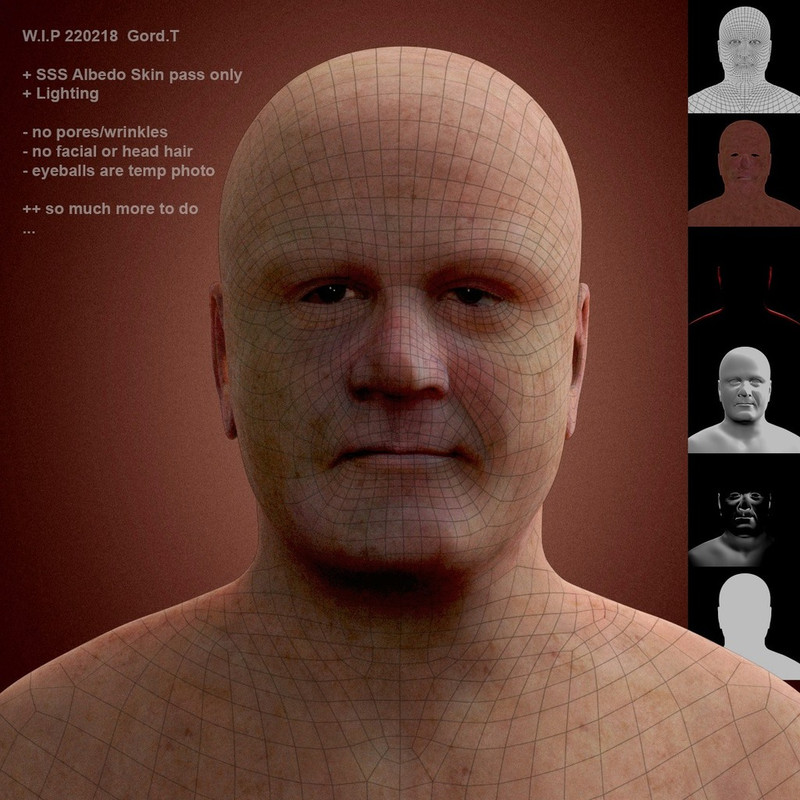
//edit: same photo just replaced the attachment with a new public image hosting site (2020)
//and apparently it's still attached lolllll. -sigh. lolll.
I don't know what to say anymore. Still learning.
//edit: same photo just replaced the attachment with a new public image hosting site (2020)
//and apparently it's still attached lolllll. -sigh. lolll.
Attachments

Last edited:
Gord.T
Still "Senior Member"
I'm transferring my photos to a new image hosting site and updating the relevant posts accordingly.
It will take some time and some photos are simply gone due to Hard Drive failures and such. I'll try and reupdate as many as possible over the coming days.
It will take some time and some photos are simply gone due to Hard Drive failures and such. I'll try and reupdate as many as possible over the coming days.
Last edited:
Gord.T
Still "Senior Member"
Coming back to this concept in the coming days and exploring toon characters again, in more depth from the ground up this time. Gonna have some trial runs at it anyways. That photo-realistic portrait stuff is just a killer on my old PC and my brain lollll. It is cool though but...oh well. Back to Toonies again for a change. Alllllrighty then.
Gord.T
Still "Senior Member"
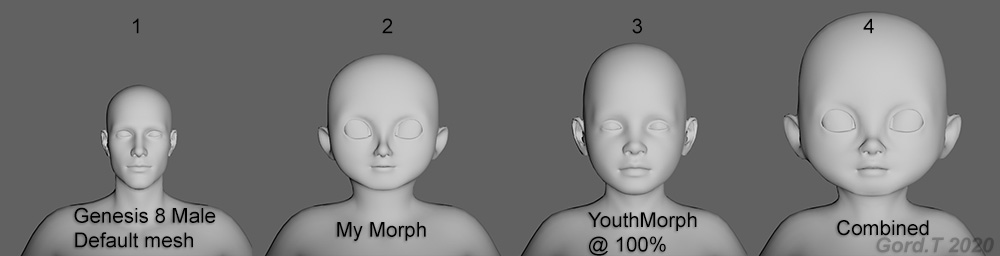
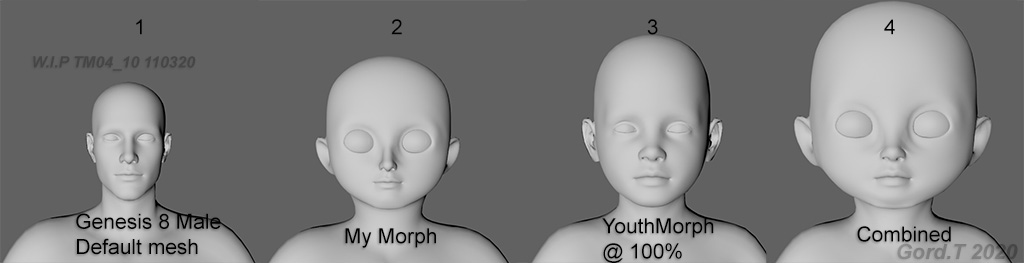
I decided to use the Daz Figure Genesis 8 Male as the starting point for experimenting as it is already animation ready.
In the end I used the above mentioned with my toon morph combined with the Daz Youth Morph.
#1 is the default Genesis 8 Male mesh.
#2 is my 4th attempt today @ creating a morph with those toon proportions for #1. In the end I used ZBrush for the
shaping after trying 3 other methods first.
#3 is #1 with the Daz Youth morph dialed in at 100%.
#4 is #1 + #2 morph + #3 morph.
My morph still requires some mesh cleanup before implementing into the Daz pipeline but that's all for today.
--------------------------------------------------------------------------------------------------------
update: Cleaned up the mesh.
----------------------------
"Current state" Daz render with G8M + morph using default Daz settings for everything including textures.
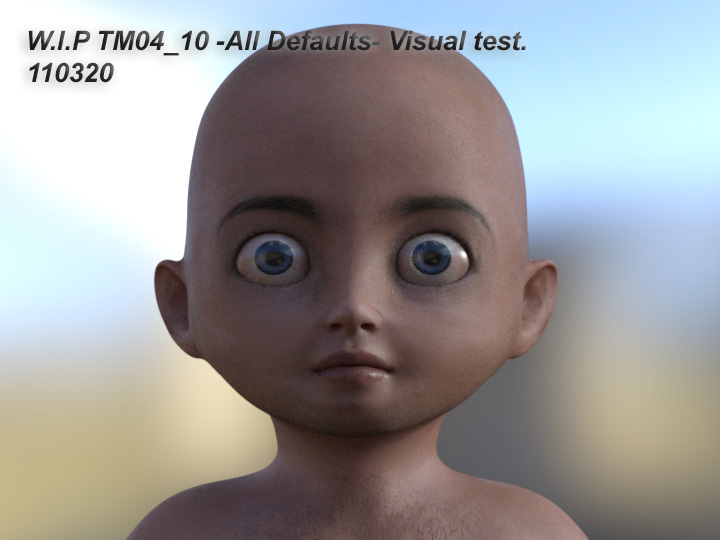
//I'm going to try another idea/method. It'll take a while to set up first though but if it works it will pay off. Wish
me luck.
Last edited:
Gord.T
Still "Senior Member"
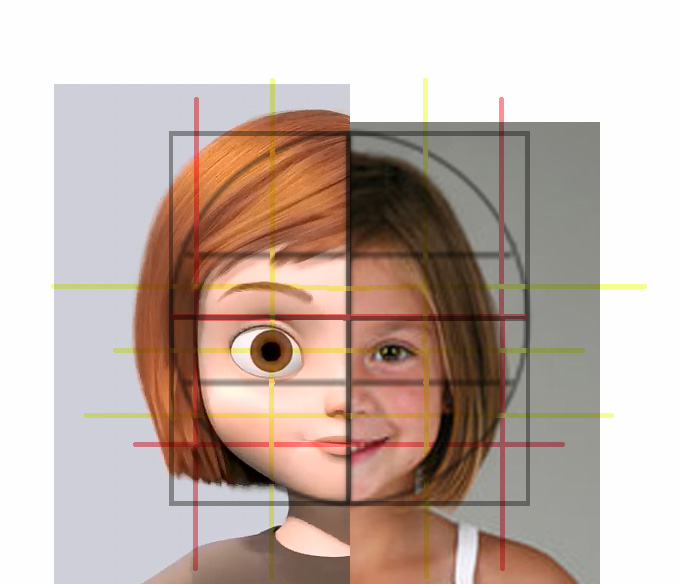
I've backed up momentarily from the Toon head to first understand the proportions of a childs head versus an adult head.
This link helps explain it...https://www.mybluprint.com/article/childs-face-mastering-proportions
Before jumping into zbrush I'm using Photoshop(liquify tool) to test the theory first.
I'm using the Daz Genesis 8 male default figure and a baby head photo I found online for reference.
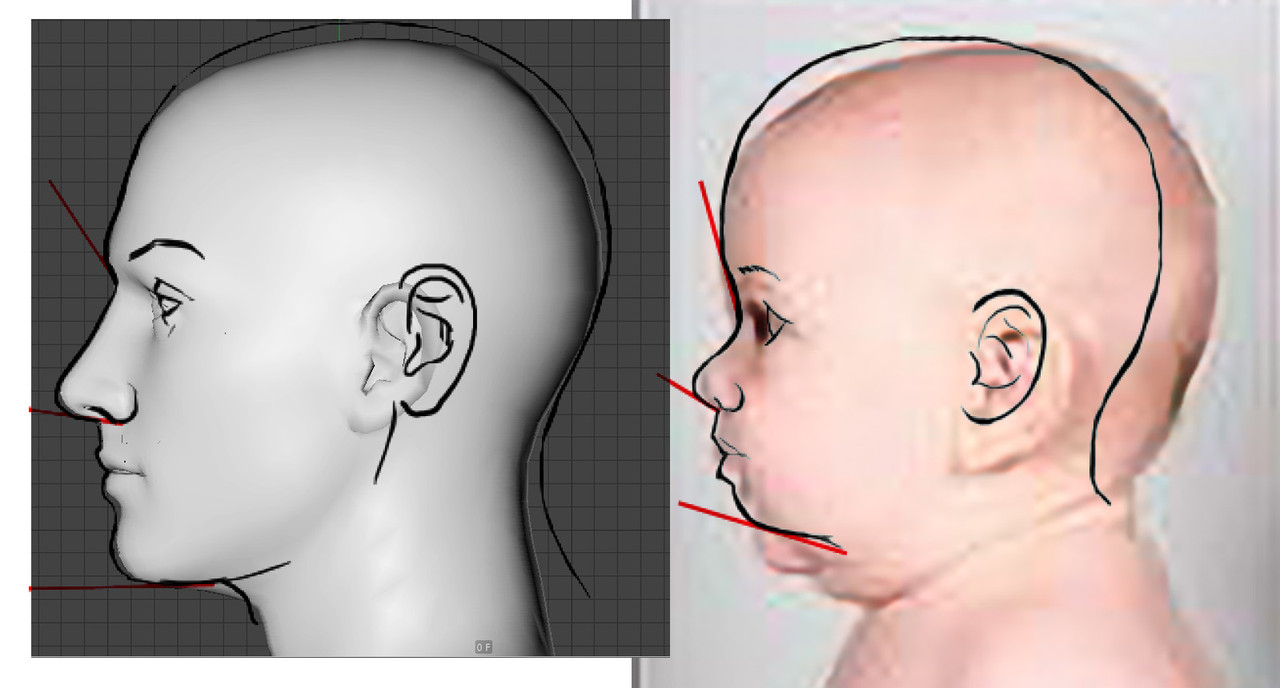
A drawing from above link overlayed on the G8M and baby heads.
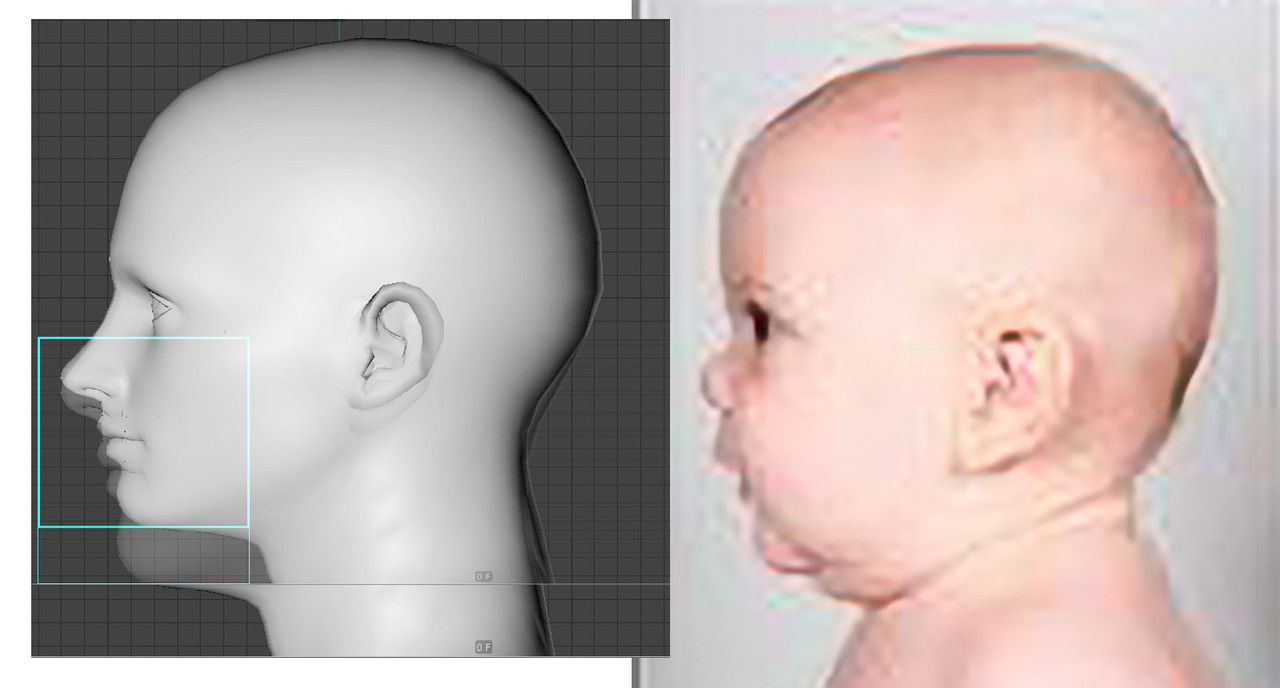
Reposition nose, mouth and chin vertically...
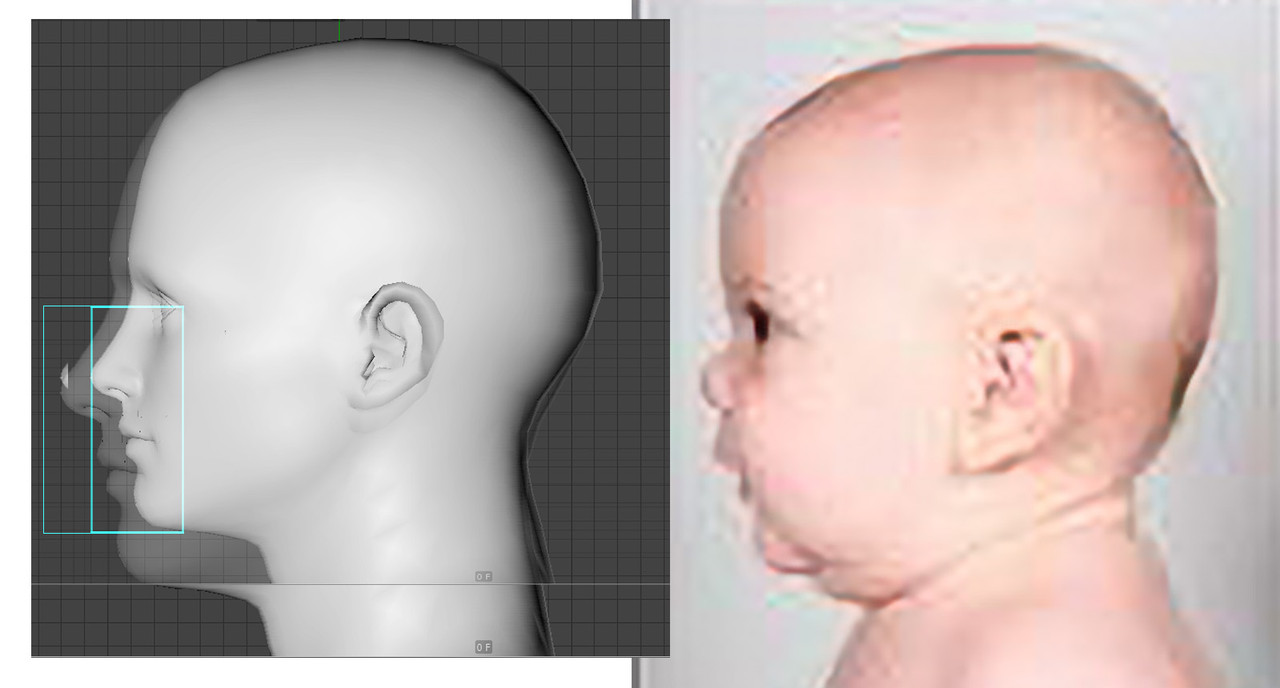
...then horizontally as the article suggests for child proportions.
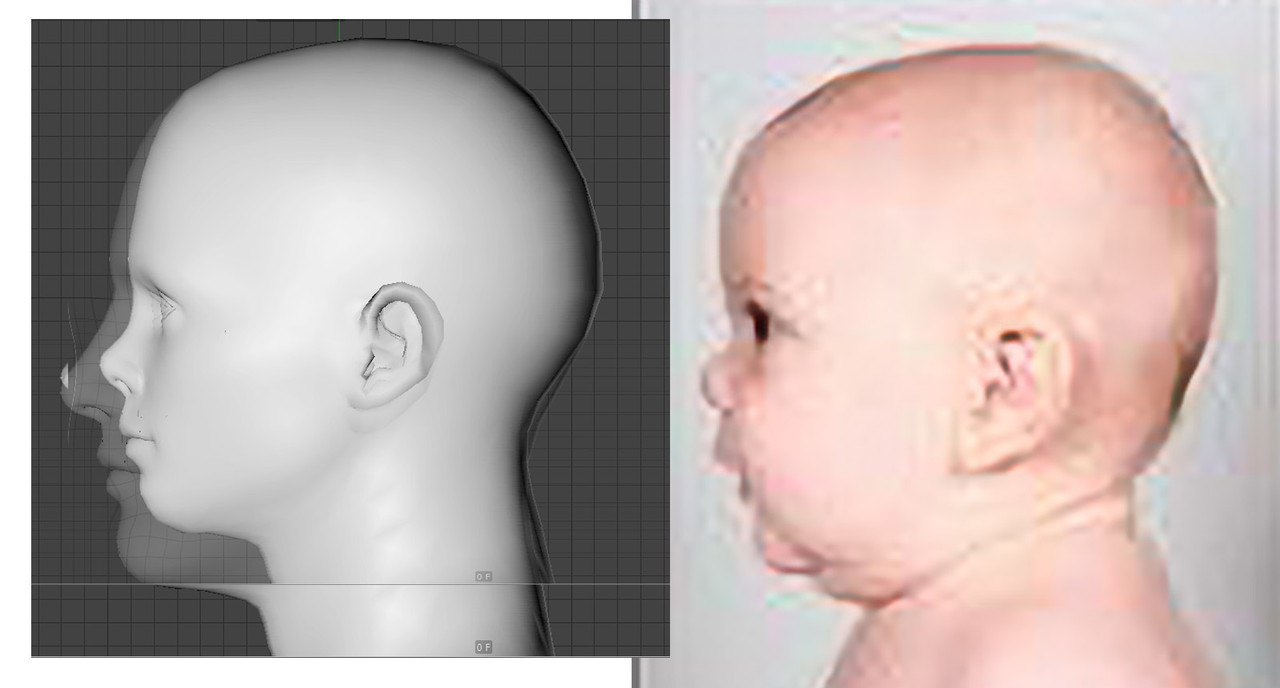
Angle the nose and chin as mentioned.
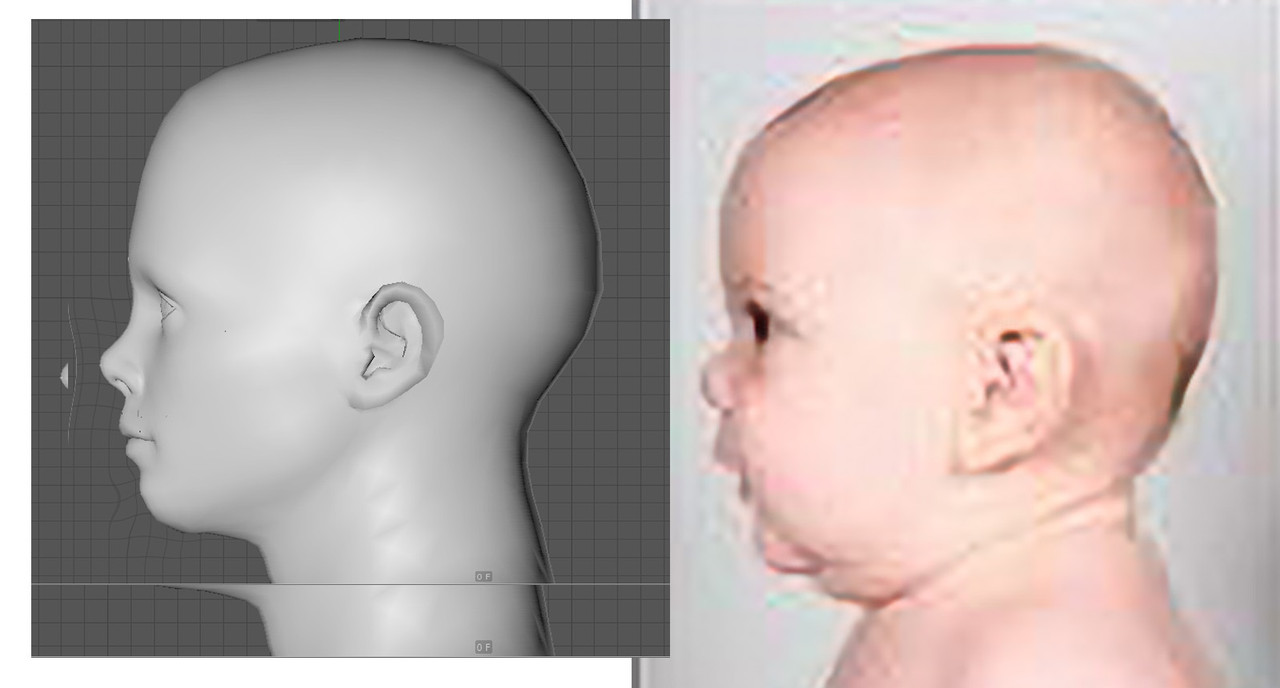
It does look youthful without further adjusting like the ears,head and frontal view proportions.
On to the next step then.
Baby steps folks.
This link helps explain it...https://www.mybluprint.com/article/childs-face-mastering-proportions
Before jumping into zbrush I'm using Photoshop(liquify tool) to test the theory first.
I'm using the Daz Genesis 8 male default figure and a baby head photo I found online for reference.
A drawing from above link overlayed on the G8M and baby heads.
Reposition nose, mouth and chin vertically...
...then horizontally as the article suggests for child proportions.
Angle the nose and chin as mentioned.
It does look youthful without further adjusting like the ears,head and frontal view proportions.
On to the next step then.
Baby steps folks.
Gord.T
Still "Senior Member"
I uploaded a demo of how I save FaceGen Artist morphs to Daz. Something different to do today for a break.
Maybe it'll be of use to someone (and I forget how I did stuff sometimes too so there's that also...)
No audio. Text overlays only.
As I explain in to intro:
"If you want to use Facegen Artist characters with Daz that you've created with FGAP you can ignore this method I'm showing and just export as you normally would.
This method allows me to use FaceGen Artist Pro morphs within Daz with Daz Genesis faces other than a FaceGen generated face
and optionally, by it's nature, can also include the face.
It's basically for special cases that I use sometimes."
links:
Exporting Fgap morphs to Daz intro
https://vimeo.com/404252533
Exporting Fgap morphs to Daz part 1 of 2
https://vimeo.com/404252567
Exporting Fgap morphs to Daz part 2 of 2
https://vimeo.com/404252916
--------------------------------------
Unrelated: Just a mention.
The blue cartoon icon/avatar of myself that I've been using for awhile was done by a guy named
Marcus Sakoda during an online giveaway once. He drew me in a couple of minutes as a freebee.
While some of his work looks like 3D it's all drawn/painted using various paint programs.
I was just looking at his page again and thought "I sure am getting alot of use out of the one he did of me.
http://www.marcussakoda.com/contact
------------------------------------
Maybe it'll be of use to someone (and I forget how I did stuff sometimes too so there's that also...)
No audio. Text overlays only.
As I explain in to intro:
"If you want to use Facegen Artist characters with Daz that you've created with FGAP you can ignore this method I'm showing and just export as you normally would.
This method allows me to use FaceGen Artist Pro morphs within Daz with Daz Genesis faces other than a FaceGen generated face
and optionally, by it's nature, can also include the face.
It's basically for special cases that I use sometimes."
links:
Exporting Fgap morphs to Daz intro
https://vimeo.com/404252533
Exporting Fgap morphs to Daz part 1 of 2
https://vimeo.com/404252567
Exporting Fgap morphs to Daz part 2 of 2
https://vimeo.com/404252916
--------------------------------------
Unrelated: Just a mention.
The blue cartoon icon/avatar of myself that I've been using for awhile was done by a guy named
Marcus Sakoda during an online giveaway once. He drew me in a couple of minutes as a freebee.
While some of his work looks like 3D it's all drawn/painted using various paint programs.
I was just looking at his page again and thought "I sure am getting alot of use out of the one he did of me.
http://www.marcussakoda.com/contact
------------------------------------
Last edited:
Gord.T
Still "Senior Member"
Just chattin' with Mark Johnson. Great to hear from him again. And yep, he's still very busy. -Cheers.
And aint this true too...:
// Watched some YT vids covering Character Creator 3x with the Headshot plugin. Very similar to the Daz-Facegen method I use. Also brushing up on and learning Toon character design, toon animation basics...again...so much still to cover, it's almost overwhelming. Why can't I just like watching T.V 16 hours day instead? hahaha.
Seems to be some good tips in this vid. (Not face specific I know. Maybe a new Toon thread is in order depending on how badly I want to embarrass myself learning parts of the process. Not yet though.) Anyone with suggestions or links that might help are always welcome.
Suggested vids by Bam Animation:
Pete Docter | Geometry of Characters
https://www.youtube.com/watch?v=i2tkCBFlXyc
A GUIDE TO GOOD CHARACTER DESIGN (MEGA SUPER ULTIMATE)
https://www.youtube.com/watch?v=3VQl0scK5HM
And aint this true too...:
// Watched some YT vids covering Character Creator 3x with the Headshot plugin. Very similar to the Daz-Facegen method I use. Also brushing up on and learning Toon character design, toon animation basics...again...so much still to cover, it's almost overwhelming. Why can't I just like watching T.V 16 hours day instead? hahaha.
Seems to be some good tips in this vid. (Not face specific I know. Maybe a new Toon thread is in order depending on how badly I want to embarrass myself learning parts of the process. Not yet though.) Anyone with suggestions or links that might help are always welcome.
Suggested vids by Bam Animation:
Pete Docter | Geometry of Characters
https://www.youtube.com/watch?v=i2tkCBFlXyc
A GUIDE TO GOOD CHARACTER DESIGN (MEGA SUPER ULTIMATE)
https://www.youtube.com/watch?v=3VQl0scK5HM
Last edited:
Gord.T
Still "Senior Member"
Playing with C4D R17's sculpting tools to try and speed up some workflow things and ran into this issue so I made a quick 2 min vid explaining a fix (below). I don't know about versions above R17.
How to hide an objects wireframe when Sculpting: https://vimeo.com/425397997
How to hide an objects wireframe when Sculpting: https://vimeo.com/425397997
Last edited:
Gord.T
Still "Senior Member"
Al Capone W.I.P
I finally started blocking in my Al Capone model today. Tons left to do on it but it's a start. I've always wanted to do one of Nastassja Kinski as well. One step at a time though lol.
I have no timeline on this. I have to keep kicking my ass to start some of these old to-do's on my list. haha. -Cheers.
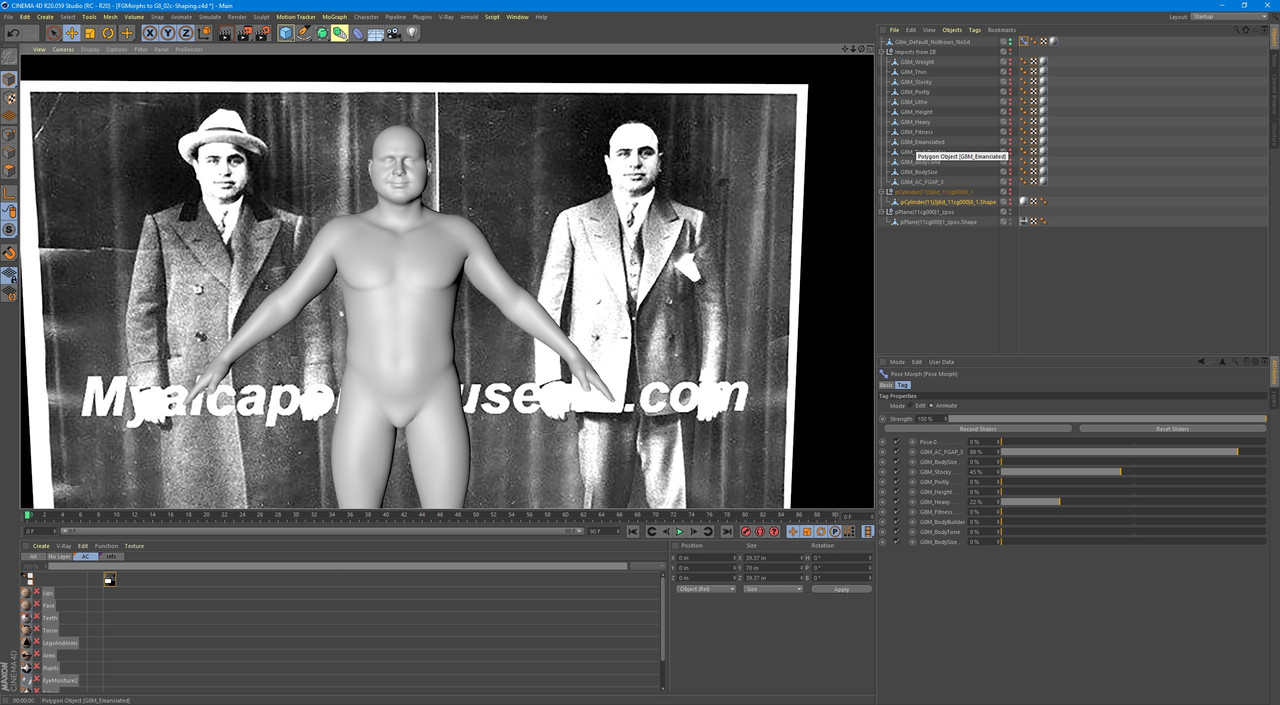
// update: Working on the re-shaping and sculpting of the face in Zbrush and C4D and fixing it manually was taking too long so I wrote another script to help with these issues again.
I posted the python code in the Cinema-4D-Goodies thread here(post #33). http://www.dvxuser.com/V6/showthread.php?162209-Cinema-4D-Goodies/page4
This is a custom Daz Genesis 8 model which has it's own unique challenges to keep the point count and indices the same.
---------
April 29th.
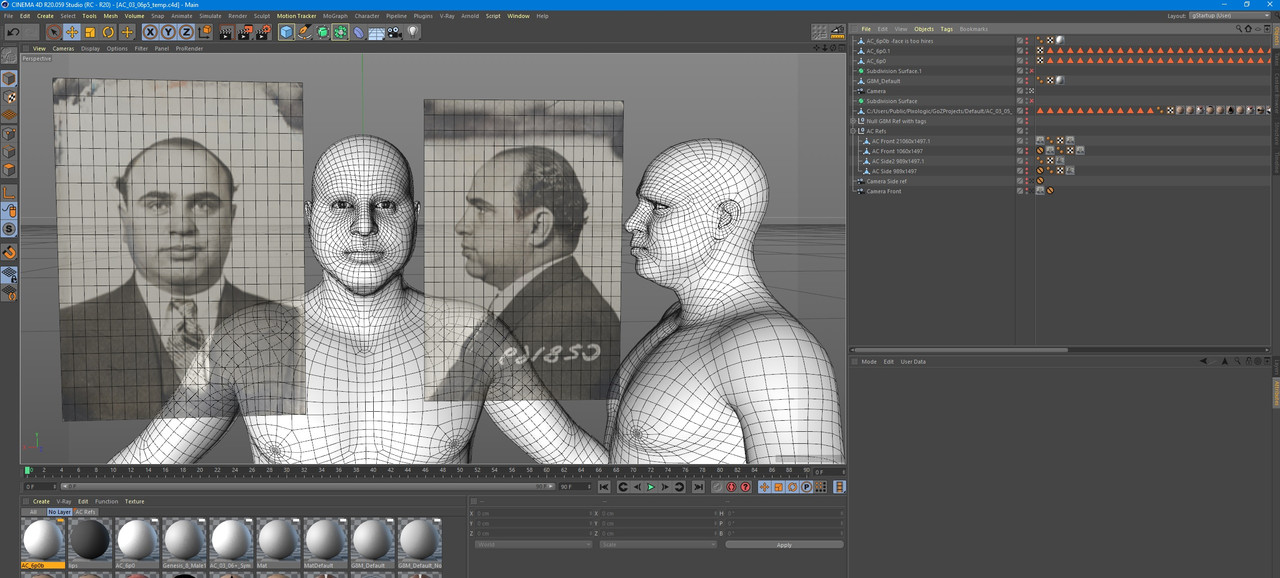
//And the eyes look a bit too close here, depending on which camera in which program is used...I'm modelling in perspective view with a camera about 50mm, with a fov of 27 I think it is (I can post screen shots if needed. The cameras behaviour between programs differ 'OfCourse!' haha. It's endless.
I finally started blocking in my Al Capone model today. Tons left to do on it but it's a start. I've always wanted to do one of Nastassja Kinski as well. One step at a time though lol.
I have no timeline on this. I have to keep kicking my ass to start some of these old to-do's on my list. haha. -Cheers.
// update: Working on the re-shaping and sculpting of the face in Zbrush and C4D and fixing it manually was taking too long so I wrote another script to help with these issues again.
I posted the python code in the Cinema-4D-Goodies thread here(post #33). http://www.dvxuser.com/V6/showthread.php?162209-Cinema-4D-Goodies/page4
This is a custom Daz Genesis 8 model which has it's own unique challenges to keep the point count and indices the same.
---------
April 29th.
//And the eyes look a bit too close here, depending on which camera in which program is used...I'm modelling in perspective view with a camera about 50mm, with a fov of 27 I think it is (I can post screen shots if needed. The cameras behaviour between programs differ 'OfCourse!' haha. It's endless.
Last edited: